

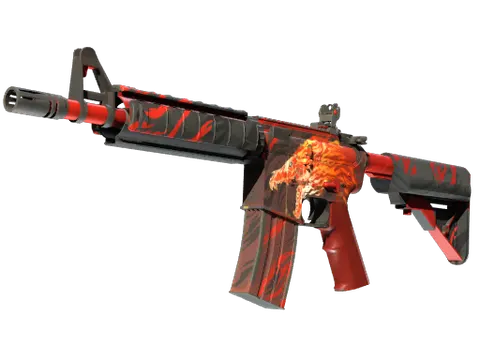
Looking for an M4A4 | Howl you can actually own in Steam? It is a Contraband skin associated with the Huntsman Collection, not a current Huntsman Weapon Case drop and not a trade-up contract result. Its published float range runs from 0 to 0.4. BloodyCase offers an Upgrader and Steam skin withdrawals, but those features do not establish that a Howl is currently available there. Start by separating the transfer of an existing eligible copy from a chance-based attempt at a listed target.
Check the live target selection and rules before considering a deposit.
Links to the official BloodyCase site are independent and earn no commission. →
What makes the M4A4 | Howl different?
The important distinction is its Contraband rarity. The Howl belongs to the Huntsman Collection, but that collection association does not mean a current Huntsman Weapon Case can produce it. Nor does Contraband function as another ordinary step on the trade-up ladder. For someone seeking this particular skin, understanding those exclusions is more useful than looking at a generic case-opening percentage or assembling inputs for a contract that cannot produce the desired result.
- Collection association
- Huntsman Collection / Huntsman Weapon Case[↗]
- Rarity
- Contraband[↗]
- Published float range
- 0 to 0.4, from Factory New to Well-Worn[↗]
- Trade-up eligibility as an output
- Excluded: a contract cannot produce the Howl[↗]
A skin's collection, rarity, condition and transfer status answer different questions. Collection identifies its item family. Rarity identifies its classification. Float describes the condition of an individual copy. Transfer status determines whether that particular copy can move between accounts at the relevant time. A listing that gets the name right can still be unsuitable if the condition differs from what you wanted or the item is not currently transferable.
- If you want the exact item, begin with an existing eligible copy rather than an ordinary case-opening plan.
- If you want to understand its condition, check the individual float and inspect the actual item.
- If you are considering an upgrade game, establish that the Howl is a selectable target before committing anything.
- If someone proposes a Howl trade-up recipe, check the exclusion rules before supplying skins.
Where the Howl comes from—and whether it still drops
The Howl's Huntsman association is historical, not an active drop instruction. It was removed from the Huntsman Weapon Case and is classified as Contraband. Opening a current copy of that case cannot produce a Howl. This is not simply a situation in which the item has an exceptionally low ordinary drop chance: it is outside the current outcome pool. Opening more cases does not change which items are eligible to appear.
| Route | Howl outcome | What to check |
|---|---|---|
| Current Huntsman Weapon Case opening | Cannot drop the Howl | Historical collection membership is not current drop eligibility. |
| In-game trade-up contract | Cannot produce the Howl | Contraband is excluded as an outcome. |
| Transfer of an existing copy | Relevant route if that copy is eligible for transfer | Exact item, condition, account restrictions and trade contents. |
| BloodyCase Upgrader | Conditional on the live target selection | Actual Howl availability, displayed chance, stake and withdrawal conditions. |
An existing copy changing owners is fundamentally different from a new copy being generated by a case or contract. A trade offer concerns an item already held in an inventory. A case opening concerns the available reward pool for that opening. Confusing those processes makes misleading claims sound plausible, especially when a listing places a familiar case name next to an item without explaining its discontinued drop status.
Third-party case-opening services also need to be evaluated separately from Valve cases. A custom case name or an image of a Howl does not establish its live availability, its probability or the delivery conditions. Read the actual reward list and the relevant rules. BloodyCase states that its cases do not require keys, but that operating model does not alter what a Huntsman Weapon Case can drop inside Counter-Strike.
Published case odds: what they mean for an opening
Published rarity-tier figures help explain ordinary case openings, but they are not Howl odds. The figures below are general case statistics, not BloodyCase probabilities. They describe rarity categories rather than the probability of receiving any particular named skin. The Howl cannot be assigned the Covert figure merely because a guide discusses it alongside desirable case rewards: its classification is Contraband, and it is no longer in the Huntsman drop pool.
| Rarity category | Published standard figure | Separately published StatTrak figure |
|---|---|---|
| Mil-Spec | 79.92% | Not specified in the cited figure |
| Restricted | 15.98% | Not specified in the cited figure |
| Covert | 0.64% | 0.064% |
| Rare special items: knives or gloves | 0.26% | 0.026% |
This is a selection of published figures, not a complete probability distribution or a calculation to add together. A category figure must not be relabelled as the chance of a specific item within that category. Likewise, a generic StatTrak statistic does not establish that a particular skin has a StatTrak version. Eligibility and probability are separate checks, and eligibility comes first: an excluded reward cannot become obtainable through a favourable interpretation of another category's number.
Trade-up contracts: why you cannot craft a Howl
The standard trade-up contract takes 10 skins of the same grade and returns 1 skin of the next grade, selected from a collection represented by the inputs. The inputs must be all normal or all StatTrak. Mixing collections is allowed, but it does not remove the eligibility rules. Calling this process crafting can be convenient shorthand, provided it does not imply that the player can freely choose any desired skin as the output.
For the Howl, the decisive rule is explicit: Contraband is excluded as a trade-up outcome. Its removal also differs from that of other removed Huntsman skins that remain obtainable through trade-ups. You cannot generalise from those other items to the Howl. A collection match, an appealing input float or a different mixture of eligible skins cannot make an excluded output appear in the contract's possible results.
| Rule or route | Published mechanics | Implication for the Howl |
|---|---|---|
| Standard contract | 10 same-grade skins produce 1 eligible next-grade skin. | Contraband remains excluded. |
| Mixed collections | Outputs come from collections represented by eligible inputs. | Collection mixing does not unlock the Howl. |
| Excluded inputs | Souvenir and Contraband skins cannot be used. | The Howl is not an input for a crafting ladder. |
| Covert contract route | 5 Covert skins produce 1 eligible knife or gloves; 5 StatTrak Covert skins produce 1 StatTrak knife. | This is not a route to a Contraband rifle. |
The separate Covert route matters because older explanations often describe Covert skins as unusable in contracts without qualification. That exclusion describes the older standard contract, not the later Covert-to-knife-or-gloves route. Neither rule creates a Howl recipe. When assessing instructions, check the type of contract being discussed, the eligible inputs and the actual output category rather than relying on the broad claim that trade-ups can turn skins into something more valuable.
BloodyCase also lists a Contract mode. A similarly named website feature must not be mistaken for the in-game Steam trade-up system. The in-game rules above cannot be transferred to a third-party mode, and the website's mode name does not overturn the Howl's in-game exclusion. Read the game-modes guide to distinguish the site's activities before committing any inventory item.
Wear, float, patterns and StatTrak
The Howl's published float range is 0 to 0.4, covering Factory New through Well-Worn. Battle-Scarred is outside that published condition range. Float is a condition value, not a drop percentage, a pattern ranking or a statement about whether the item can be traded. The exact float belongs to the individual copy, so a general skin page cannot substitute for checking the item you are actually considering.
Wear labels make listings easier to scan, while the underlying float provides more specific condition information. Inspection answers a different question again: whether you like the actual appearance. Do not let a favourable label replace that visual check. If a screenshot, listing description and inspect view appear inconsistent, pause and resolve the discrepancy rather than assuming that the most attractive presentation is the item that will arrive.
- Match the full M4A4 | Howl name rather than relying on a thumbnail or shortened description.
- Read the condition and exact float attached to the individual copy.
- Inspect the item itself instead of treating a generic promotional image as evidence.
- Treat a Battle-Scarred Howl description as inconsistent with the published wear range.
- Verify any claimed special variant or pattern distinction before accepting it as a reason to choose that listing.
No Howl-specific pattern hierarchy or pattern premium is verified here. A pattern identifier and a wear value describe different attributes; a pattern number alone does not establish special status. This guide therefore does not assign named pattern tiers or recommend paying more for an alleged pattern. Ask what an advertised distinction actually changes, inspect the relevant copy and avoid importing pattern rules from another weapon finish.
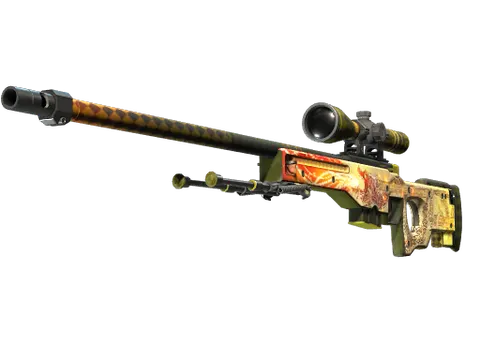
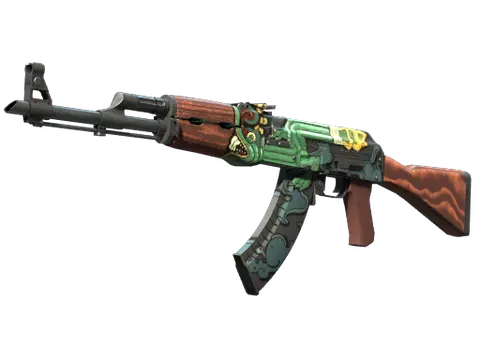
Howl-specific StatTrak availability is not verified in this guide. The general StatTrak odds and contract rules above do not answer that item-specific question. Verify the exact variant through the item's own details before proceeding. For comparison shopping across different skins, use the separate entries in the best CS2 skins guide, including the AWP Dragon Lore guide and AK-47 Fire Serpent guide, rather than assuming their acquisition or variant rules match the Howl.
Upgrading toward this skin on BloodyCase
BloodyCase's Upgrader lets users stake skins, optionally supplemented with balance, for a more expensive target skin. Its stated chance is based on the value ratio between the stake and target. The site also allows won skins to be withdrawn to Steam, sold for site balance or used in its Upgrade and Contract modes. These are documented features, but they are not confirmation that a Howl is currently selectable or immediately deliverable.
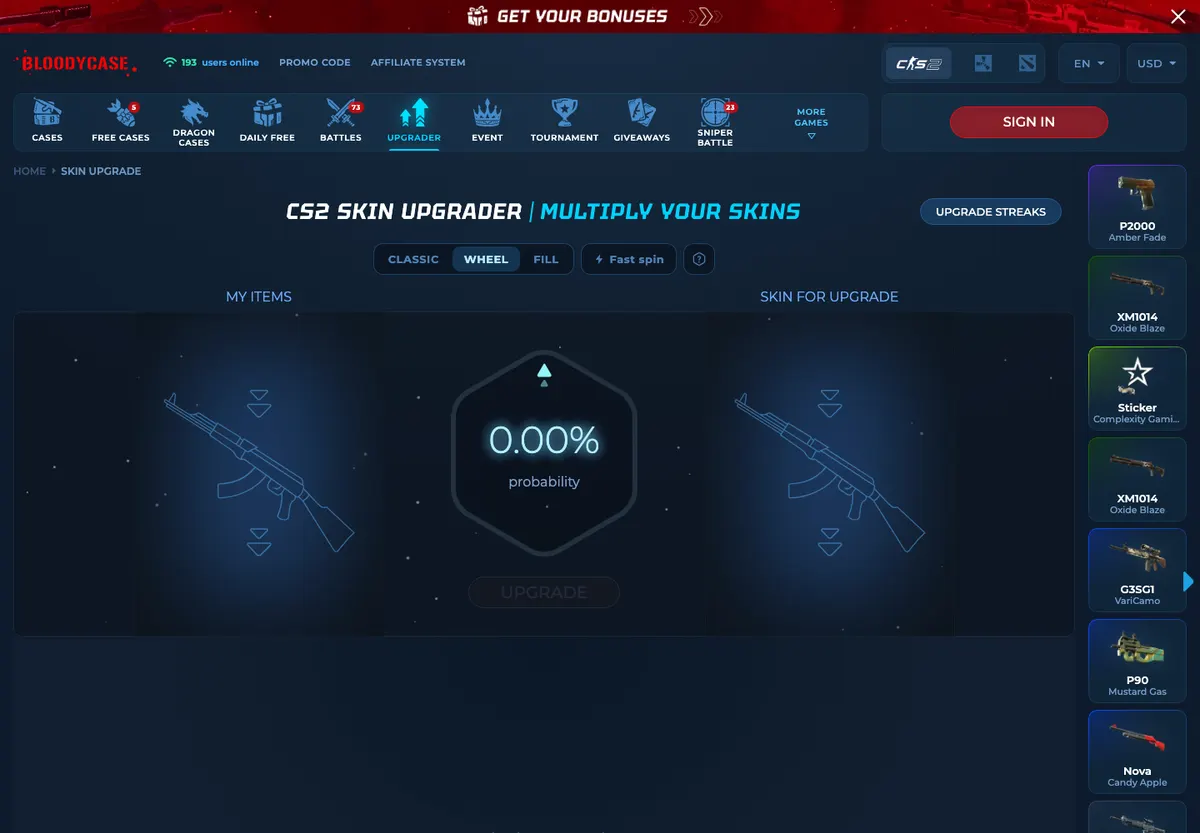
Look for the exact target, then read the displayed chance and current conditions.
Links to the official BloodyCase site are independent and earn no commission. →
Understand the stake before considering an attempt
In an upgrade-style game, a lower-value stake is exposed to loss in exchange for a chance at the higher-value target. As the target's value rises relative to the stake, the stated chance falls. The house edge means the long-run expected result is a loss, not a cost-effective purchasing plan. No timing choice, click pattern, previous result or sequence of attempts changes the stated odds. Increasing the stake also increases what is exposed to loss.
- Establish target availabilitySearch the live selector for the exact Howl and desired condition. If it is absent, stop treating the mode as an available route to this item.
- Read the proposed exchangeCheck which skins and balance would be committed, the target's site valuation and the chance displayed before the attempt.
- Accept the possible loss in advanceDecide whether losing the selected stake is acceptable without relying on a later attempt to recover it.
- Check delivery separatelyRead the withdrawal conditions and confirm that the target, if obtained, can be sent to your Steam account under the applicable rules.
BloodyCase says an unsuccessful upgrade loses the committed skin or balance and credits cashback. No fixed Howl success percentage or cashback amount is published in its general Upgrader explanation. Cashback should not be treated as a full refund or as cancellation of the house edge. Likewise, this guide does not assign a Howl-specific fee, multiplier or stake limit. Read the live conditions and the fees guide before making a decision.
Use provably fair verification for the right purpose
BloodyCase states that it uses a provably fair algorithm for openings, including battles, and that results can be verified using server seeds. Verification concerns whether a result follows the disclosed mechanism; it does not make a favourable result more likely. It also does not establish the availability or transfer status of a particular skin. Follow the provably fair guide for the verification concepts, and consult the BloodyCase review for broader operational considerations.
Keep site balance and Steam delivery distinct
Selling a drop for site balance is not the same action as withdrawing that item to Steam. BloodyCase publishes a $5 minimum deposit for paid cases and a balance top-up requirement of at least $5 for item withdrawals. These requirements do not establish a Howl's price or delivery time. If your goal is possession in Steam, check the withdrawal path before playing, using the deposit and withdrawal guide. Do not assume a displayed site item has already reached your inventory.
Safer ways to obtain an eligible existing copy
If the goal is the Howl itself rather than the experience of a chance-based game, looking for a known existing copy avoids random target selection. That does not eliminate transaction risk. Availability, the exact item, the counterparty and Steam restrictions still need checking. Steam trade offers package the items for each side, so the offer you are asked to accept—not a chat message, profile claim or promotional screenshot—is the transaction to inspect.
Inspect the item and the offer independently
- Open Steam through a trusted route rather than a link sent by an unsolicited contact.
- Compare the offered item with the listing, including its full name, condition and available item details.
- Check everything leaving your inventory as carefully as the item you expect to receive.
- Read the actual trade partner details; a familiar avatar or display name is not sufficient identification.
- Do not send an item to a supposed verification account or accept a substitute offer because someone claims it is necessary.
- Keep passwords, recovery information and Steam Guard codes private; a trade link is not a request for those credentials.
The Steam Guard Mobile Authenticator supports account security and trade confirmations. It does not replace reading what you approve. If a website says one thing while the Steam confirmation shows something different, stop before confirming. An explanation offered in chat is not a correction to the offer itself. The trade-safety guide covers account checks, trade links and impersonation risks in more detail.
Treat holds and delivery questions as separate issues
A Steam trade hold means Steam keeps items for a period before delivery, providing an opportunity to cancel fraudulent trades from a compromised account. It is not the same as a website failing to issue an offer. BloodyCase says its exchanges operate automatically through Steam bots, but automatic handling does not override Steam's applicable account or item restrictions. Read the status shown in Steam rather than assuming that any automatic process must be immediate.
If an expected withdrawal does not appear, distinguish a missing offer, a pending confirmation and a Steam hold before taking further action. Preserve the item name, relevant transaction details and any error message, without sharing credentials. BloodyCase advertises support at support@bloodycase.com. Do not make an additional upgrade attempt or deposit merely to troubleshoot an unclear delivery status; first establish what happened to the original transaction.
If you compare an available Steam Community Market listing, remember that the Market uses Steam Wallet funds and shows fee lines in its purchase flow. That is a different balance system from BloodyCase's site balance. Compare the total displayed transaction terms, not just a headline figure, and do not assume that a balance usable in one environment can be withdrawn or spent in the other.
Your Howl checklist before proceeding
- Rule out current Huntsman openings and in-game trade-ups as ways to generate the Howl.
- Identify whether your next action concerns an existing copy, a site-balance transaction or a chance-based target attempt.
- Check the exact copy's condition against the published 0 to 0.4 float range.
- Verify any advertised pattern or StatTrak claim through item-specific details.
- For BloodyCase, check live target availability, the displayed chance, the complete stake and withdrawal conditions.
- For Steam delivery, inspect the offer and confirmation, and read any hold or restriction notice before proceeding.
The practical decision is whether you want a known item or entertainment involving uncertain outcomes. An upgrade can fail even when the process is verifiable and the rules are clear. If obtaining the exact Howl is essential, do not treat a chance-based attempt as equivalent to securing that copy. If uncertainty or potential losses are becoming difficult to manage, stop and use the responsible-gambling guide.
M4A4 | Howl FAQ
No matching questions found.
What case does the M4A4 Howl come from?
Can you still unbox a Howl from a Huntsman Weapon Case?
Is the Howl drop chance 0.64%?
Can you craft a Howl with a trade-up contract?
Does the Covert trade-up route make the Howl obtainable?
What is the Howl float range?
Does this guide confirm Howl pattern tiers or StatTrak availability?
Can I upgrade to a Howl on BloodyCase?
Does provably fair make a Howl upgrade more likely to succeed?
What should I check before accepting a Howl trade?
Confirm availability and delivery terms before deciding whether a chance-based route suits your goal.
Links to the official BloodyCase site are independent and earn no commission. →
This independent guide is for informational purposes and is not affiliated with BloodyCase.