
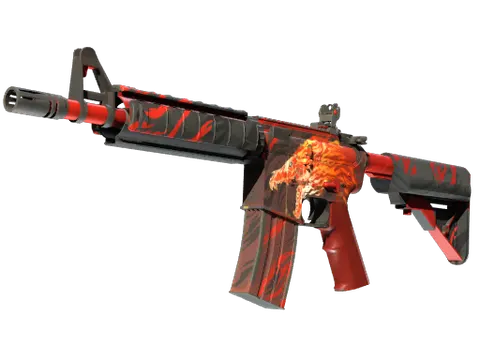





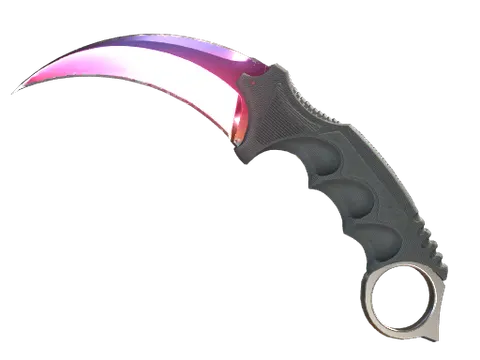

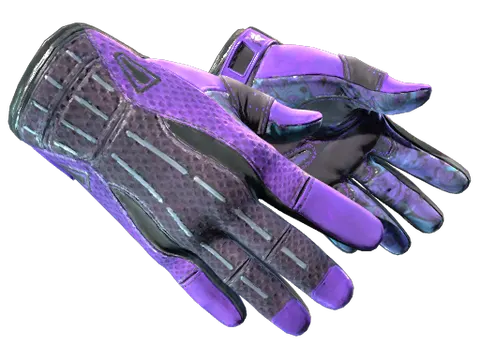

Understand what you are opening, comparing or sending before you confirm anything. This glossary explains CS2 float, wear, StatTrak, Steam trade holds, house edge and the terms used around BloodyCase. The site documents key-free cases for CS2, Rust and Dota 2, case battles, an upgrader, Steam item withdrawals and a provably fair system. Below, general item and Steam terminology is clearly separated from BloodyCase-specific rules, so you can read an item listing, assess a chance-based mode and choose the right next step.
Find the term you need
| Term | Plain-English meaning | What to check |
|---|---|---|
| Float | The numerical wear value of a CS2 skin. | The individual item's value, not only its wear label. |
| Wear | A condition category describing a skin's finish. | The category and its appearance on that weapon. |
| StatTrak | A variant with a tracked in-game counter. | Whether the exact item includes the StatTrak designation. |
| Pattern | The arrangement of a finish on an item. | The actual item preview and pattern identifier. |
| Trade offer | A proposed exchange of specified Steam items. | Both sides of the offer and the recipient. |
| Trade hold | A Steam delay before traded items are delivered. | The restriction notice shown by Steam. |
| Site balance | Credit recorded inside a platform account. | How that balance can be used. |
| Drop pool | The possible items available from a case. | Eligible variants and their probabilities. |
| House edge | The operator's mathematical advantage. | The complete payout model, not a recent result. |
| RTP | Theoretical return to player. | The assumptions behind any published figure. |
| Provably fair | A method for checking how a random result was generated. | The seeds, commitment and verification instructions. |
| Cashback | A conditional credit following an eligible activity. | Its amount, form and restrictions. |
Start with item terminology if you are comparing skins. Go to the Steam section if an item cannot move, or the probability section if an opening result is confusing. A shared word does not imply a shared rule: a Steam inventory, a BloodyCase account inventory and an on-screen case catalogue represent different things.
Read a skin listing accurately
Skin, finish and rarity
A skin is a cosmetic item that changes appearance rather than the weapon's base performance. In CS2, the finish is the visual treatment applied to a weapon. An item's full name can combine the weapon, finish, special variant and wear category. Read those elements together: matching artwork alone does not establish that listings describe the same item.
Rarity is a classification within an item's game or collection. It is not a universal price scale, and it is not automatically the probability assigned by a third-party case. A rare classification can coexist with modest demand, while a particular pattern or variant may attract extra interest. BloodyCase also lists Rust and Dota 2 cases; do not transfer CS2 wear terminology to those games without checking the item system involved.
Float and wear: related, but not interchangeable
Float is the numerical wear value attached to a CS2 skin. Wear is the broader condition label derived from that value. Lower float generally corresponds to less wear, but the visual effect depends on the finish: one design may show scratches clearly, while another changes shade or exposes different details. Skins do not become more worn simply because you use them in matches.
| Wear label | Abbreviation | How to interpret it |
|---|---|---|
| Factory New | FN | The least-worn condition category; inspect the individual item anyway. |
| Minimal Wear | MW | A lightly worn category, with appearance depending on the finish. |
| Field-Tested | FT | A more visibly worn category with variation between individual items. |
| Well-Worn | WW | A heavily worn category, not a guarantee of any particular appearance. |
| Battle-Scarred | BS | The most-worn category; some finishes change substantially. |
Field-Tested items can have different float values and visibly different surfaces. Conversely, an unusually clean-looking screenshot does not prove a lower-wear category. Use the full listing and an item-specific inspection rather than a promotional thumbnail. Not every finish is available across every wear category, so an apparently missing variant may reflect the finish itself rather than a platform problem.
Pattern, paint seed and inspect link
A pattern describes how a finish is arranged across an item. The paint seed or pattern index helps determine that arrangement. On finishes with meaningful pattern variation, items sharing a name and wear category can still look different. A pattern seed is not the server seed used in provably fair verification: the former concerns the cosmetic item, while the latter concerns result generation.
An inspect link opens a view of a particular item in the supported game context. Where available, use it to examine placement, scratches and attachments. Inspection helps establish appearance; it does not prove ownership, confirm a seller's trustworthiness or guarantee that the inspected item is the one included in a later trade offer.
StatTrak, Souvenir and stickers
StatTrak identifies a special CS2 item variant with a counter for a supported in-game statistic. It is part of the item's identity, not a wear grade or proof of greater rarity in a particular paid case. Compare StatTrak listings with equivalent StatTrak listings rather than silently substituting a standard version.
Souvenir is another item designation, associated with event-related items. It is distinct from StatTrak and should remain part of any like-for-like comparison. Stickers are cosmetic attachments whose design, placement and condition may matter to a collector. Their presence does not mean their separate, unapplied prices can simply be added to the skin's value. Automated valuations may treat these details differently from a collector inspecting the actual item.
Collection, catalogue entry and individual item
A collection groups related items within a game's item system. A third-party case can use its own selection of items, so a collection name does not establish that every item from that collection is available. Check the actual case contents instead of treating a theme or collection reference as a complete inventory.
A catalogue entry describes a type of item; an individual inventory item is a specific instance. Several instances can share the same displayed name while differing in float, pattern or attachments. Where a transaction promises a particular instance, preserve its inspect details and any item identifier provided. Where it promises only a named variant, do not assume the promotional image promises a particular pattern or sticker arrangement.
Understand Steam trades and account security
Inventory, trade offer and trade URL
Your Steam inventory contains items associated with your Steam account. A website's inventory display can instead represent items recorded inside that site's system. Seeing a drop in a site account does not, by itself, mean it has already arrived in Steam. BloodyCase documents Steam withdrawals as an action separate from selling drops for account balance or using them in its modes.
Steam describes a trade offer as a prepared exchange specifying items on both sides. A trade URL, often called a trade link, allows another account to direct an offer to you. It is not your password, but it is still account-related information worth sharing carefully. Entering a trade link does not authorise you to ignore the offer itself: the actual recipient and contents remain the decisive checks.
Tradable, marketable and inventory visibility
Tradable means an item is eligible for transfer through Steam trading under its applicable restrictions. Marketable concerns whether it can be listed on the Steam Community Market. These are different permissions: do not assume that eligibility for one action establishes eligibility for the other. Read the item's own description and account notices before choosing a route.
Inventory visibility is a privacy setting governing who can view inventory information. A website failing to display an item could involve visibility, synchronisation or eligibility rather than a missing asset. Check whether Steam itself still shows the item before troubleshooting the website. Making information visible does not transfer ownership, and a readable inventory is not permission for someone else to move its contents.
Steam Guard, authentication and confirmation
Steam Guard adds account protection beyond a password. The Steam Guard Mobile Authenticator supports authentication and trade or market confirmations. Signing into an account and confirming a trade are different actions: a successful sign-in does not establish that a later exchange is correct. Read the confirmation details rather than treating the approval prompt as a routine obstacle.
Authentication codes, recovery information and credentials are not details another trader needs to inspect a skin. If a supposed support agent requests them, stop the interaction. For login guidance, distinguish the platform's account screen from a Steam authentication page and check the destination before entering anything. The login guide explains the sign-in context; trade safety covers offer checks.
Trade hold, cooldown, lock and protection
A trade hold means Steam holds items before delivery. Valve explains that this gives an owner of a compromised account an opportunity to cancel a fraudulent trade. That is different from an item restriction that prevents starting a new trade. People often use hold, cooldown and trade lock loosely, but those words should not replace the actual Steam notice.
Trade protection likewise needs to be read in the context of the current Steam message: identify what action is restricted, which items it affects and what Steam says happens next. Do not rely on an old duration quoted in a chat or assume that a website can remove a Steam-side restriction. The presence of an authenticator is useful account protection, not a promise that every item is immediately transferable.
Bots, P2P and impersonation
A trading bot is an automated account or system used to arrange exchanges. P2P means peer-to-peer and generally describes a transfer between users rather than an item moving through a platform's inventory. Neither label is a security certification. BloodyCase states that its exchanges run automatically through Steam bots and that it is not affiliated with Valve. A familiar bot name or avatar is not enough to identify the correct recipient.
- Start from the action you initiated, not an unsolicited chat link.
- Compare the offer with the item and account details shown in the genuine transaction flow.
- Check what leaves your inventory as carefully as what arrives.
- Stop if the recipient or contents change, or if someone requests an unrelated verification trade.
Separate item value, balance and payment terms
Site balance is not Steam Wallet funds
Site balance is credit recorded on a particular platform. Steam Wallet funds belong to Steam's payment environment. A bank balance or cryptocurrency wallet is different again. The same currency symbol on different screens does not make these balances interchangeable. Steam's Community Market describes purchases and sales in Steam Wallet funds and displays transaction-fee information.
| Action | What it means | Important distinction |
|---|---|---|
| Sell a BloodyCase drop for balance | Convert the drop into site account credit. | This is not the same action as a bank payout. |
| Withdraw a BloodyCase skin | Request transfer of the item to Steam. | The destination is an item inventory. |
| Sell on the Steam Community Market | Sell an eligible item for Steam Wallet funds. | Steam's balance and fees are separate from BloodyCase. |
| Use a drop in another mode | Commit the item to that mode's rules. | This is further participation, not a withdrawal. |
Deposit, withdrawal and payment method
A deposit or top-up adds value to your platform account. A withdrawal moves an eligible asset out through a supported route. BloodyCase states a $5 minimum deposit for paid cases and a balance top-up requirement of at least $5 for withdrawing items to Steam. These are documented conditions, not a statement that every payment or withdrawal has the same minimum, cost or processing time.
BloodyCase lists methods including Visa, Mastercard, Skrill, PayPal, Bitcoin, Ethereum and USDT, while noting that availability varies by country. A listed deposit method does not establish a matching withdrawal method. For cryptocurrency, a network is the blockchain route used for the transfer; confirm the asset, network and destination instructions together. A blockchain confirmation is not the same status as a platform credit. Check the deposit and withdrawal guide before sending funds.
Price, fee, spread and liquidity
An item price is a valuation in a particular context. A fee is a stated charge. Spread is the difference between comparable buying and selling quotes, which can affect the outcome even when no separate commission appears. Liquidity describes how readily an item can be exchanged at an acceptable price. A displayed valuation is not proof that a buyer is waiting at that price.
Compare like with like: the same variant, wear, valuation destination and transaction route. An item valued for site balance is not automatically worth an identical amount as Steam Wallet funds or an external cash sale. Check the final quote and any stated deductions before confirming. The fees guide separates published charges from pricing questions rather than assuming an unlisted charge is absent.
Listing price, sale history and buy order
In general marketplace terminology, a listing price is what a seller asks, while a completed sale records what a buyer actually paid. A buy order expresses a buyer's willingness to purchase under specified conditions. These figures answer different questions. A high asking price can remain unaccepted, and an older completed sale may not reflect current demand.
When checking a valuation, identify which kind of evidence you are viewing and whether it concerns the same item variant. Also distinguish the buyer's total payment from the seller's net receipt after applicable charges. These are general comparison tools, not a claim that BloodyCase offers listings or buy orders. Selling a drop for BloodyCase balance remains a different action.
Understand case odds and fairness claims
Case, key, drop and drop pool
A case is a chance-based selection from a defined set of possible items. The awarded item is the drop, and the eligible set is the drop pool. A key is a separate unlocking item in some game systems. BloodyCase states that its cases do not require keys, so do not assume the official game's opening process applies to this platform.
A case thumbnail or highlighted expensive item is not the complete drop pool. Read the current contents and probability information before opening, including the exact variants eligible for selection. A recent-drops feed describes selected past activity; it does not establish the chance of your next result. See the cases guide for the opening workflow and what to inspect before confirming.
Odds, weights and the opening animation
A displayed probability describes an outcome's share of the possible results under the stated rules. Some random-selection systems instead use weights: relative values that must be interpreted alongside all the other weights in the pool. A weight alone is not a complete probability. Do not assume every pictured item is equally likely simply because each receives a similar-sized card.
The opening animation is the visual presentation of a result. An expensive item passing near the selection marker does not establish how close the underlying random calculation came to awarding it. Treat near misses as presentation, not evidence that a better drop is approaching. Use the published probabilities and result-verification information rather than the apparent spacing or movement of items on screen.
Probability, expected value, RTP and house edge
Probability describes the chance of an outcome under a particular rule set. Expected value combines all possible outcomes with their probabilities to describe a theoretical average. To calculate a case's expected item value, multiply each outcome's probability by its assigned value and add those contributions. Without the complete distribution and a consistent valuation basis, a meaningful calculation is not possible.
RTP means return to player: the theoretical share of stakes returned under the stated model. House edge is the operator's mathematical advantage. Neither concept describes what an individual session must return. A model based on site valuations can also differ from what an item would realise through another transaction route. This glossary does not assign BloodyCase an RTP or house-edge figure; do not infer one from case artwork, isolated results or a fairness label.
Variance, streaks and independent outcomes
Variance describes how widely results can differ around an expected average. A high-value drop and a run of low-value drops can both occur within a random system. Where outcomes are independent, a previous loss does not make a better result due. Believing otherwise is the gambler's fallacy. Increasing your stake after disappointment changes how much you expose to loss; it does not repair the probability model.
Provably fair, seeds, hashes and nonces
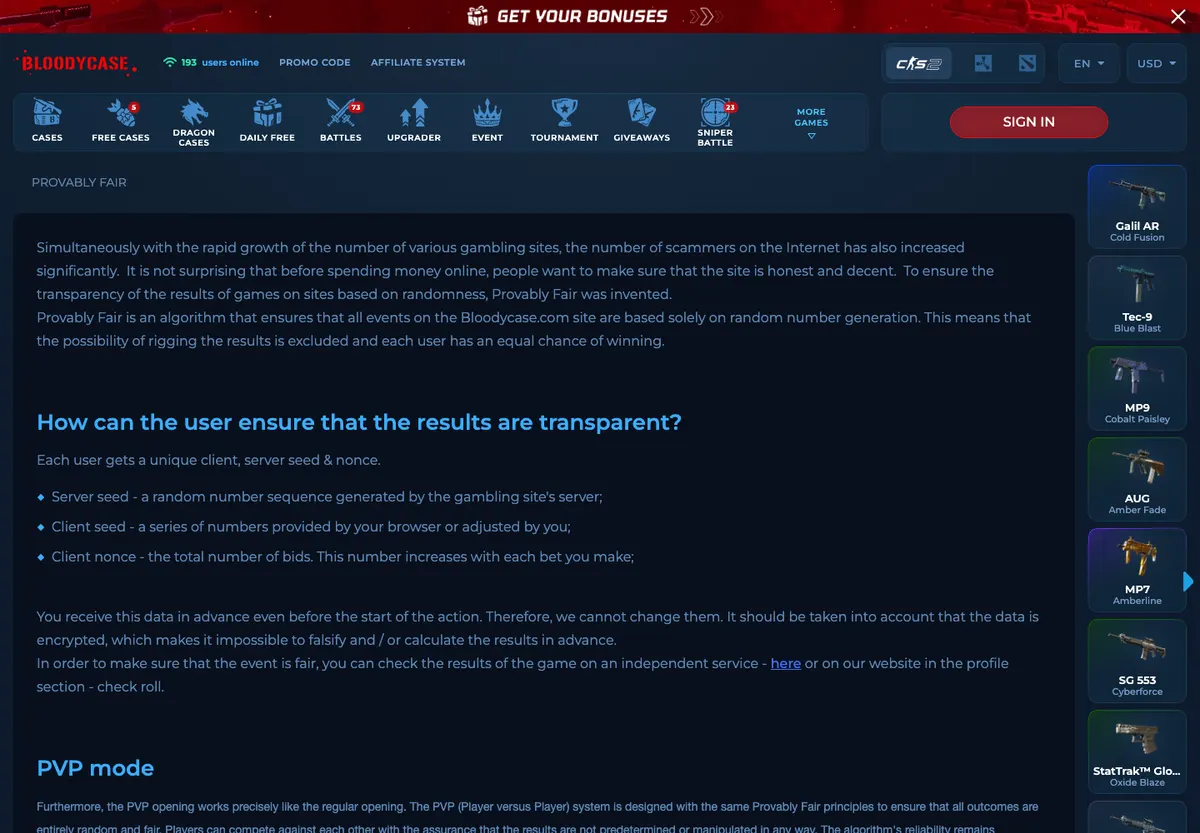
Provably fair describes a cryptographic method for checking result generation. In a typical commitment-based system, a server seed is a secret input controlled by the operator. A hash is a one-way representation published as a commitment before that secret is revealed. A client seed is another input associated with the user's side. A nonce is a counter that distinguishes results generated from a seed combination. These are general concepts, not a specification of BloodyCase's implementation.
BloodyCase states that its openings, including battles, use a provably fair algorithm and that results can be verified using server seeds. Meaningful verification follows the actual implementation: check the commitment, reproduce the random output using the required inputs, and confirm how that output maps to the awarded item. Do not substitute another site's algorithm just because its terminology looks familiar.
A successful check concerns the result-generation process. It does not certify item prices, account security, withdrawal availability or legal eligibility, and it does not remove the house edge. Keep the round details needed for a check rather than relying only on an animation screenshot. The provably fair guide explains how to approach verification and distinguish a reproducible result from a general marketing claim.
Decode BloodyCase mode terminology
Case battle and total drop value
In BloodyCase's documented case-battle format, several users open the same cases, and the player with the most valuable total drop takes all the drops. Total drop value means the combined valuation across the battle, not necessarily the value of a single standout item. An attractive item appearing during a battle therefore does not, by itself, establish who receives the final collection. The site also states that fully private battles cannot be created.
Upgrade, target, stake and cashback
In BloodyCase's Upgrader, the stake is the skin or skins committed, optionally with balance, and the target is the more expensive skin being attempted. The site says the chance depends on the value ratio. This is a chance-based exchange, not a normal purchase of the target. On a loss, the committed skin or balance is lost, while cashback is credited according to the site's description.
Cashback should not be read as full reimbursement. Check the current amount, credit type and conditions before committing anything. Likewise, an upgrade multiplier, where displayed, describes a relationship between values rather than a promise of success. A more expensive target is not evidence that the attempt offers better value.
Contract and other mode names
Contract commonly describes an item-combination mechanic, but the name alone does not establish eligible inputs, output selection or valuation rules. BloodyCase lists Contract, sniper battles, tournaments and giveaways in its navigation. Do not import rules from Steam trade-up contracts or another platform. Read the exact mode instructions, including what is surrendered and how an outcome is determined. The game modes guide keeps the documented formats separate.
Use the right term when something goes wrong
- A drop appears on the site, but not in SteamFirst distinguish an awarded item from a completed withdrawal. Check whether you requested a Steam transfer, whether an offer exists and what status the site displays. Then inspect Steam separately. Do not open an unsolicited offer merely because you are expecting an item.
- Steam will not let an item moveRead the exact restriction notice and identify whether it concerns the account, the item or delivery of an existing trade. Record the wording rather than calling everything a withdrawal delay. Avoid changing security settings in an attempt to bypass a restriction you have not identified.
- The offer contains an unexpected item or recipientStop before accepting or confirming. Compare the complete item identity, including wear and special designation, with the action you initiated. Keep a record of the discrepancy. A familiar avatar or a message claiming to explain the substitution is not a reason to approve it.
- The balance credit differs from the item price you expectedCheck whether you compared a site valuation, a Steam Market price or a final sell quote. Record the item variant, quoted value and resulting credit. Ask about the specific discrepancy rather than assuming that different valuation systems must produce the same number.
- You want a round checkedKeep the round identifier, mode, case or target details, visible result and any available verification inputs. Explain whether the question concerns the random output, its mapping to a drop, or the item's valuation. These are separate issues and may require different evidence.
Pending, failed and completed are status labels
Status labels describe stages within a particular system; they are not universal delivery guarantees. Pending usually indicates an unfinished action, but the next required step depends on the transaction. A website's completed label might concern its own processing, while Steam shows the actual offer or inventory result. Compare both records rather than guessing which screen is authoritative for every stage.
Before repeating a failed-looking action, check whether value has already been deducted, whether an offer remains open and whether a transaction identifier exists. Repeated submissions can make the history harder to interpret. Record the sequence of events and the exact messages, then ask support which stage needs attention. These are general troubleshooting steps, not definitions of BloodyCase's internal status codes.
BloodyCase advertises support at support@bloodycase.com with 24/7 availability. Availability is not a guaranteed resolution time. Send a concise description and relevant identifiers, but not passwords, authentication codes or recovery information. The support guide helps you prepare a useful request.
Check these details before your next action
- Comparing an item: match the game, item name, variant, wear and relevant pattern or attachments.
- Sending a payment: confirm the method, destination, network where relevant, final charge and intended account.
- Opening a case: read the current contents and probabilities, and set an entertainment budget you can afford to lose.
- Joining a mode: understand what is committed, how the result is determined and who receives the items.
- Accepting a trade: inspect both sides, the recipient and the final confirmation, not just the notification.
- Checking fairness: preserve the round information and follow the implementation's own verification instructions.
If your goal is a particular cosmetic item, distinguish obtaining that known item from paying for a random selection that might include it. They are different decisions. If an opening or upgrade starts to feel like a way to recover earlier losses, pause rather than changing targets or increasing stakes. The responsible play guide covers budgets, warning signs and ways to seek help.
For eligible adults who choose to continue, review the current case details and terms before spending.
Links to the official BloodyCase site are independent and earn no commission. →
This independent guide is for informational purposes and is not affiliated with BloodyCase.