






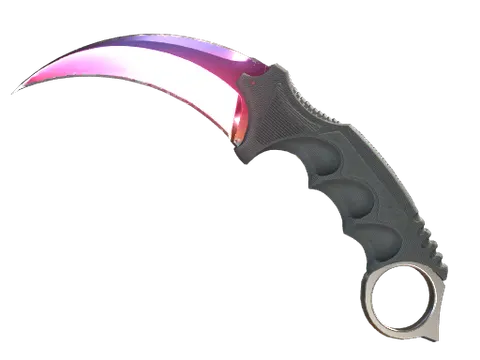
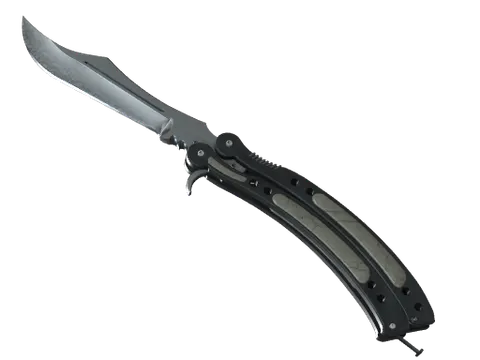
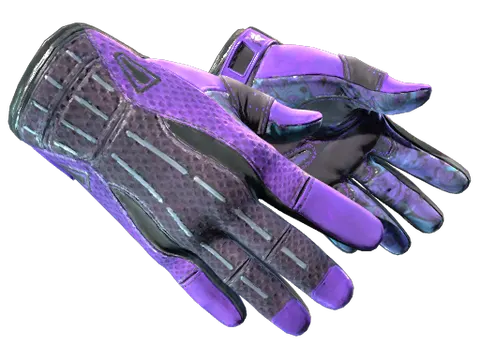

To use BloodyCase, sign in with a supported account, prepare your Steam account for item delivery, check the payment conditions, then choose whether to open cases or use another mode. No separate case keys are needed. Awarded skins can be sold for site balance, used in Upgrade or Contract modes, or withdrawn to Steam. The published minimum deposit is $5, and withdrawing items also requires a qualifying $5 balance top-up. Below, follow the complete route while keeping account access, payment, chance-based play and Steam delivery separate. Gambling is for adults aged 19+ only and carries a house edge.
Continue to https://bloodycase.com/ to inspect the catalogue and current conditions before paying.
Links to the official BloodyCase site are independent and earn no commission. →
Your route from account to Steam inventory
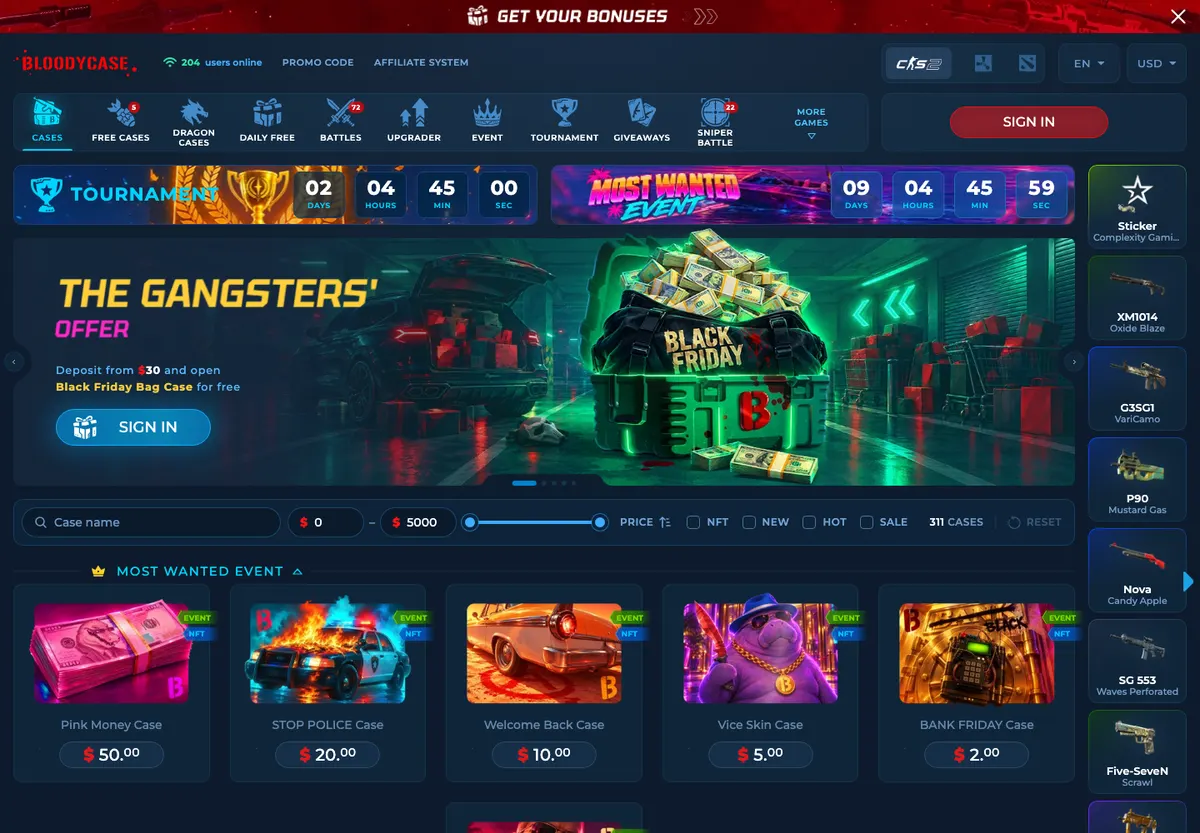
BloodyCase centres on case opening and related skin-based activities. Its catalogue includes CS2, Rust and Dota 2 cases, while account access is available through Steam, Google, Discord, Facebook or Twitch. The important distinction is between an item shown in your BloodyCase account and an item delivered to your Steam inventory. Opening a case does not itself complete a Steam trade. Likewise, selling a drop for site balance is not the same as receiving money in a bank account. Decide which outcome you want before committing funds.
| Stage | What you do | What it does not establish |
|---|---|---|
| Account access | Use a supported sign-in provider. | Signing in does not establish that your Steam account can receive items. |
| Steam preparation | Check the destination account, trade link and trading status. | A valid link does not remove Steam restrictions. |
| Deposit | Review an available payment method and its final terms. | Adding funds does not guarantee a particular item. |
| Activity | Choose a case or mode and inspect its rules. | An animation or target skin does not promise a favourable result. |
| Item decision | Choose balance, further play or Steam withdrawal. | Site balance and a delivered Steam item are different things. |
| Steam receipt | Inspect and accept the correct trade offer. | A withdrawal request alone is not proof of completed delivery. |
- Check eligibility before creating a payment commitmentUse the service only if you meet the applicable age requirement and local rules. Read the current terms rather than treating a working website or payment button as permission to participate.
- Sign in and identify the Steam destinationChoose a supported provider, then make sure any Steam account used for delivery is yours and is the account where you actually want the items.
- Inspect funding and activity conditionsCheck the payment total, any conversion, the chosen activity's rules and the available item outcomes before you approve a deposit or opening.
- Make a separate decision about each dropAn awarded skin does not have to become another stake. Review the available choices deliberately, then follow the withdrawal process if Steam delivery is your goal.
Start with the right account and Steam settings
Choose a supported sign-in method
BloodyCase lists Steam, Google, Discord, Facebook and Twitch as registration or login methods. Choose a provider you control and can recover securely. Access through a social account and delivery through Steam serve different purposes: the former identifies your site account, while the latter determines where tradable items go. Do not assume that selecting a non-Steam provider automatically configures a Steam destination. Follow the account settings shown on the official site, and check the displayed account identity before depositing. For access problems, use the BloodyCase login guide before creating another account that might complicate your records.
- Navigate to the official destination yourself instead of following an unsolicited login message.
- Inspect the address of any provider authentication page before entering credentials.
- Keep passwords, recovery codes and authenticator approvals private.
- If you already have an account, check which provider you originally used before assuming your balance has disappeared.
- Stop if a person asks you to send an item as proof that your account belongs to you.
Prepare a Steam trade link without sharing access
The following is general Steam setup guidance, not a separate BloodyCase eligibility policy. A Steam trade link lets another party send a trade offer to the associated account. It is not a password, and it does not grant permission to accept trades on your behalf. Obtain it through your own Steam account rather than copying a link from a message or another person's profile. If BloodyCase asks for a trade URL in its account settings, use the current link belonging to the intended recipient account.
- Open your own Steam inventoryConfirm the profile identity first, especially if you use different Steam accounts in your browser and desktop client.
- Find the Trade Offers settingsSteam's trade-offer area includes the page for who can send you trade offers. Locate your personal trade URL there.
- Copy the complete current URLPaste it into the relevant official account field when requested. Avoid editing its account or token components manually.
- Keep the destination consistentIf you regenerate your Steam trade URL, update any service still using the previous link. Recheck the recipient before requesting delivery.
A Steam Trade Offer is a proposed exchange containing the items selected for each side. That is why checking the actual offer matters more than recognising an avatar or display name. A valid trade link can help an offer reach you, but it cannot prove that the offer is genuine or appropriate. Compare its contents with the action you requested and reject unexpected outgoing items.
Check Steam Guard and trading eligibility
Steam Guard's Mobile Authenticator provides additional authentication for trade and market confirmations. Steam can also hold items before delivery; Valve describes trade holds as a protection that gives owners time to cancel fraudulent trades after an account compromise. These are Steam mechanisms, not BloodyCase processing fees. Before funding an account with the aim of receiving skins, check the trading status and security notices inside Steam. Do not apply an old waiting period quoted in a forum to your current account: use the restriction or availability message Steam actually shows.
Deposit only after checking the full cost
BloodyCase publishes a $5 minimum deposit for opening paid cases. It also states that withdrawing items to a Steam profile requires a balance top-up of at least $5. These statements describe funding requirements; they do not establish that every payment method has identical limits or that every withdrawal is otherwise unrestricted. Payment availability varies by country of residence. Inspect the options actually offered to your account and read the final confirmation before authorising payment. A payment logo on a public page is not a promise that the method is available in your location.
| Payment group | Methods listed by BloodyCase | Check before confirming |
|---|---|---|
| Cards | Visa, Mastercard | Final charge, currency conversion and the credited balance. |
| Wallets and payment services | Zen, Skrill, Neteller, Sofort, PayPal | Whether the service is available for your account and country. |
| Prepaid methods | Neosurf, Paysafecard | Voucher eligibility, usable denomination and checkout instructions. |
| Cryptocurrency | USDT, Bitcoin, Ethereum, Dogecoin, Cardano, Ripple, Litecoin, Polygon, Shiba Inu | The exact asset, network, destination and any required payment reference. |
| Skin-related service | SkinsBack | The transaction terms shown by the service; a listing alone does not establish item acceptance or valuation. |
The published payment information does not provide a complete fee schedule or a universal processing timetable. Do not substitute a typical industry fee for an actual BloodyCase charge. Compare the amount leaving your payment account with the balance to be credited, and check any payment-provider or conversion costs separately. With cryptocurrency, follow the displayed asset and network instructions exactly; similar asset names do not make different networks interchangeable. Save the transaction reference and confirmation rather than assuming that a completed payment automatically means the site balance has already updated.
- Set a spending limit before entering payment details, using only money you can afford to lose.
- Read any promotional conditions separately from the ordinary balance top-up.
- Confirm the charged currency and the amount of usable balance.
- Keep the payment reference, date, provider name and relevant confirmation screen.
- If a payment is pending, investigate its status before sending another payment to compensate.
Keep site balance, Steam Wallet and cash separate
BloodyCase allows awarded skins to be sold for site balance. Separately, the Steam Community Market uses Steam Wallet funds and displays its own fee lines. Neither description should be read as a promise of a bank payout from BloodyCase. A displayed skin value, an internal balance and a Steam Market price belong to different transaction contexts. If your goal is to receive a usable game item, follow the Steam withdrawal route instead of repeatedly converting drops back into playable balance. The deposit and withdrawal guide explains these distinctions in more detail.
Choose an activity before committing balance
BloodyCase lists cases, case battles, sniper battles, an upgrader, contracts and additional event or reward sections. Their presence in navigation does not mean that they share the same rules, eligibility conditions or outcome structure. Start with the specific activity you intend to use and read its confirmation screen. Chance-based activities are 19+ and carry a house edge. Being familiar with CS2 skins does not remove the possibility of losing the amount or items committed to a game.
| Activity | Documented operation | Decision to make first |
|---|---|---|
| Case opening | Buy and open a case without a separate key. | Whether you accept the possible contents and the cost of the opening. |
| Case battles | Participants open the same cases; the player with the most valuable total drop takes all drops. | Whether you accept that your own drops may not remain yours. |
| Upgrader | Stake skins, optionally with balance, for a more expensive target; chance is based on the value ratio. | Whether you are prepared to lose the committed skins or balance. |
| Contract | A listed mode that can use awarded skins. | Review its current input, output and confirmation rules before submitting items. |
| Sniper battles, tournaments and events | Listed activities with their own sections. | Read the activity-specific rules rather than applying standard case-battle rules automatically. |
| Dragon and daily case sections | Reward-related case sections are listed separately. | Check the qualification conditions without increasing spending merely to obtain a reward. |
Read case information, not just the animation
Before opening, look for the case cost, possible contents and outcome probabilities. If you cannot establish what is being offered and on what terms, do not proceed. A prominent expensive item is not evidence that it is a likely result. For CS2 items, also distinguish the skin name from its condition and special attributes. Wear describes the item's appearance, while rarity is a separate classification; an item's visual appeal alone does not establish its value. These are general item-reading principles, not a claim that BloodyCase guarantees any particular float, pattern or condition. Use the case-opening guide to focus on the details that matter before paying.
Understand what battles and upgrades put at stake
In a case battle, the documented winner takes all drops, so opening an appealing item during the battle does not necessarily mean you keep it. BloodyCase also states that fully private battles cannot be created. In the Upgrader, a more expensive target is an attempted outcome, not a direct exchange at an agreed price. On a loss, the committed skin or balance is lost, although the site says cashback is credited. No cashback rate should be assumed, and cashback does not make the original stake safe. Check the displayed chance and stake before confirming; changing the target changes the decision you are making.
Continue to https://bloodycase.com/ to read the current rules for the activity you are considering.
Links to the official BloodyCase site are independent and earn no commission. →
Check fairness without confusing it with value
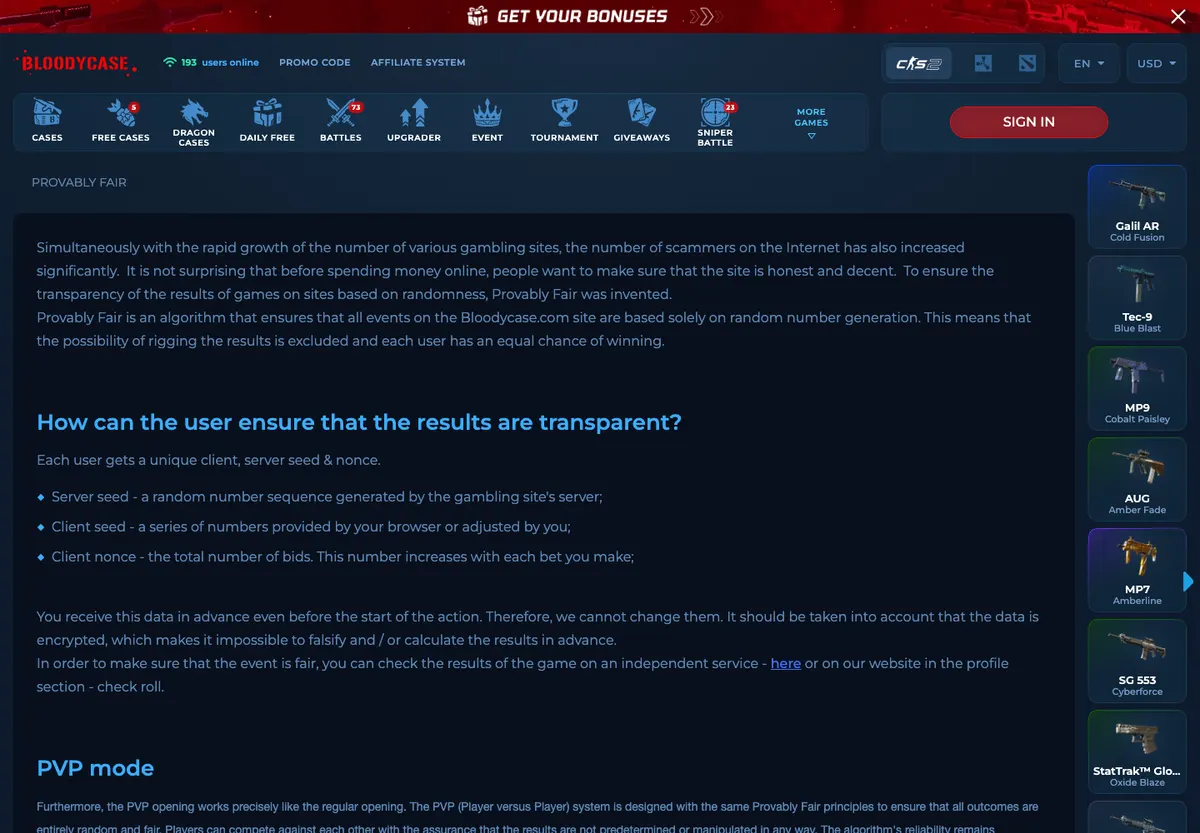
BloodyCase states that its openings, including battles, use a provably fair algorithm and that results can be verified using server seeds. This concerns checking how a result was produced. It does not establish that an item is fairly priced, that a case suits your budget or that your next opening will recover a previous loss. Keep outcome verification separate from judging the cost and probabilities of the activity itself.
- Read the implementation instructionsFind the fairness explanation for the relevant activity. Do not substitute another case site's formula or assume every mode uses an identical verification procedure.
- Preserve the relevant round informationKeep the round identifier and any seed, commitment or result data the interface provides. The exact inputs depend on the implementation.
- Check the disclosed result against the instructionsFollow the official verification process using the required server-seed information. A general explanation of provably fair systems is not itself a verification of your round.
- Separate a verification issue from an unwanted resultAn unfavourable outcome can still match the algorithm. Conversely, missing information should be investigated rather than replaced with confidence in an animation.
In general, provably fair systems use cryptographic commitments and later-disclosed information to make result generation checkable. The precise algorithm and the mapping from a generated result to an item still matter. Verification does not remove the house edge or predict future outcomes. If auditing the result is important to you, understand the procedure before staking anything. The provably fair guide explains the concepts without treating them as a guarantee of favourable drops.
Choose what happens to an awarded item
After receiving a drop, pause before selecting the next action. BloodyCase documents selling awarded skins for balance, withdrawing them to Steam, or using them in Upgrade and Contract modes. These choices are not interchangeable. If you originally wanted a Steam item, using the drop in another chance-based activity can move you further from that goal rather than simply completing the withdrawal process.
- Choose Steam withdrawal if you want the item delivered to your game inventory, subject to the displayed eligibility and delivery conditions.
- Choose sale for site balance only if you understand that the proceeds remain internal balance rather than a documented bank payout.
- Choose Upgrade only if you are deliberately accepting another chance-based stake and can lose the committed item or balance.
- Review Contract rules independently before submitting anything; do not assume that a listed output or example is promised.
- If an item's identity or terms are unclear, resolve that question before taking an action that changes it.
Withdraw to Steam and inspect the actual offer
- Check the funding requirement and item statusBloodyCase states that Steam withdrawals require a balance top-up of at least $5. Also read any eligibility or availability message attached to the item; the deposit condition alone is not a complete withdrawal specification.
- Recheck the recipient accountConfirm the intended Steam profile and current trade link. If you have changed accounts or regenerated the link, correct the destination before submitting the request.
- Request delivery through the official interfaceUse the withdrawal action shown for the item and preserve any request identifier. Follow the status presented there rather than instructions from an unsolicited message.
- Open Steam and inspect the tradeCheck the actual incoming item, its relevant attributes and anything requested from your inventory. An expected withdrawal should not become permission to send unrelated items.
- Confirm only the intended exchangeRead any Steam confirmation and restriction notice. After completion, verify the item in the receiving inventory instead of relying solely on a site status label.
BloodyCase says exchanges operate automatically through Steam bots and states that it is not affiliated with Valve. Automation describes the transfer mechanism, not a universal delivery deadline. Steam restrictions, an incorrect destination or an unresolved request can still require attention. Do not send another deposit merely because someone claims it will release an item. If the request does not progress, compare the site status with Steam's trade history and security notices, then contact official support with the relevant records.
If something stalls, identify the stage first
A login failure, an uncredited payment and a held Steam offer are different problems. Repeating the previous action can make the situation harder to diagnose, especially if it creates duplicate payments or additional requests. Start by identifying the last stage that definitely completed. Then gather the matching evidence without sharing passwords, recovery codes or complete payment credentials.
| Symptom | Check first | Useful evidence |
|---|---|---|
| The account looks empty after login | Whether you used the original sign-in provider and account. | Provider used, displayed account identity and the time of the issue. |
| Payment left your provider but balance is unchanged | Whether the payment is completed, pending or rejected at the provider. | Transaction reference, currency, amount and payment confirmation. |
| A payment method is missing | The methods currently offered for your country and account. | Method name and the relevant checkout screen, with private data removed. |
| No Steam offer arrives | The withdrawal status, current trade URL and intended Steam account. | Request identifier and any displayed error. |
| Steam shows a hold or restriction | The exact Steam notice rather than an assumed site processing delay. | The restriction wording and trade status. |
| An offer contains unexpected outgoing items | Whether it matches the withdrawal you requested. | Offer details and the related request; do not accept while investigating. |
BloodyCase advertises support at support@bloodycase.com, available 24/7. That describes advertised availability, not a guaranteed reply or resolution time. Send a concise timeline, the affected account identifier and the relevant payment, round or withdrawal reference. Explain what the site shows and what Steam or the payment provider shows separately. Redact sensitive information from screenshots. The support guide can help you organise a request without sending unrelated account data.
Before you proceed: a short checklist
- You meet the applicable age requirement, are at least 19, and have checked whether participation is lawful where you are.
- You know which sign-in provider controls your account and which Steam profile should receive items.
- Your trade link is current, and you have checked Steam's trading and security notices.
- You understand the $5 funding requirements without treating them as a complete fee or withdrawal schedule.
- You have read the selected activity's rules and can afford to lose the stake.
- You know whether your next action creates site balance, another stake or a Steam withdrawal.
- You will inspect the actual Steam offer and stop if it requests anything unexpected.
If you are trying to recover losses or feel pressure to keep opening, pause rather than adjusting the budget upward. Rewards and cashback should not determine what you can afford. For support in Ontario, contact ConnexOntario at 1-866-531-2600. The responsible gambling guide explains practical boundaries and warning signs.
Frequently asked questions
No matching questions found.
Can I sign in without Steam and still withdraw skins?
Do I need a Steam case key to use BloodyCase?
Is the $5 requirement a withdrawal fee?
Can I sell an awarded skin for cash on BloodyCase?
Can I choose the exact skin I receive?
How long does a BloodyCase Steam withdrawal take?
Does provably fair mean I will receive good-value drops?
Why have the new-user cases not unlocked?
Continue to https://bloodycase.com/ to check current account, payment and case conditions. Proceed only if eligible and within your budget.
Links to the official BloodyCase site are independent and earn no commission. →
This independent guide is for informational purposes and is not affiliated with BloodyCase.