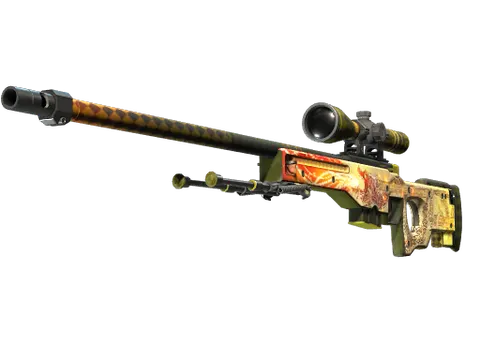
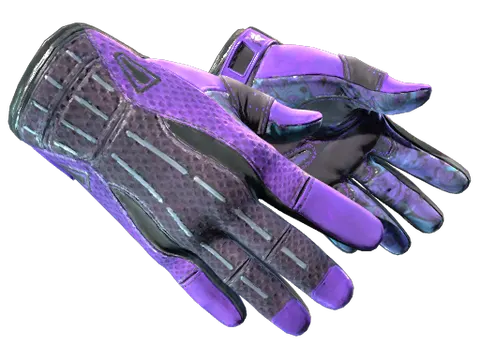
Start with the distinction that matters most: this Norse Collection Covert cannot be obtained by opening a CS2 container. Its collection origin, trade-up possibilities and existing tradable copies are separate from third-party case-opening games. BloodyCase documents an Upgrader and skin withdrawals to Steam, but those features do not establish that Gungnir is currently available as a target. Here is how to check the skin’s identity, understand the relevant contract rules and assess an upgrade attempt without confusing chance with a purchase.
Information about the target catalogue and displayed chance does not confirm current availability or suitability for participation.
Links to the official BloodyCase site are independent and earn no commission. →
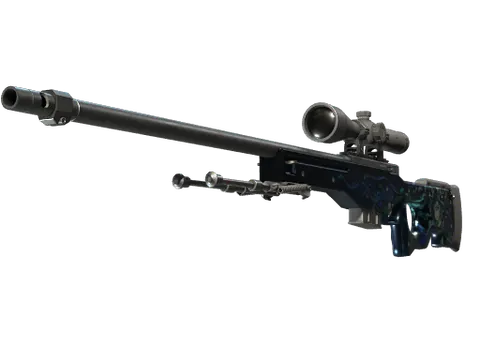
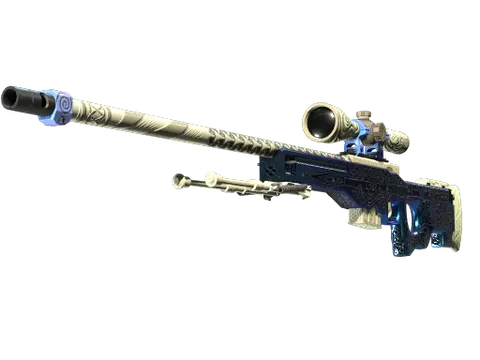
What is AWP | Gungnir?
AWP | Gungnir is a Covert weapon finish from the Norse Collection, released on 18 November 2019 with Operation Shattered Web. Those details establish its identity and historical origin. They do not make it a conventional case skin, and its Covert classification does not connect it to every container that can award a Covert item. Collection membership and rarity answer different questions: the collection identifies its item family, while rarity identifies its grade.
- Collection and rarity
- Norse Collection; Covert[↗]
- Release
- 18 November 2019, with Operation Shattered Web[↗]
- Float range
- 0.00 to 0.60[↗]
- Special versions
- No StatTrak or Souvenir version[↗]
For a prospective owner, the useful questions are practical rather than promotional. Is the offered item genuinely Gungnir? What is its exact condition? Can the counterparty deliver that particular copy through Steam? Are you arranging a known-item exchange or paying for an uncertain result? Keep those questions separate when comparing listings and game modes. A familiar skin name in a promotional image is not evidence that the item is currently obtainable through that activity.
Where Gungnir comes from—and why cases are different
The direct answer to “Which case drops AWP Gungnir?” is that Gungnir cannot be obtained by opening any CS2 container. There is no native case to recommend for it. Its association with Operation Shattered Web describes its release history, not a case-opening recipe. Likewise, Norse Collection membership should not be read as the name of a container you can simply open for another chance at this skin.
Historical origin also needs to be separated from present availability. An operation release date does not establish that an operation reward track is still active. Do not assume ordinary gameplay, a current event or an old operation reference provides a live Gungnir drop route. For a practical acquisition decision, distinguish an existing copy offered for exchange, a valid in-game trade-up contract and an external game that names Gungnir among its possible rewards.
This distinction matters when a search result promises a “Gungnir case.” Before paying, identify what the page actually offers: a Valve container, a third-party random reward or merely a page displaying the skin. Read the current item pool rather than inferring availability from the case title. BloodyCase says its cases do not require keys, but that is a rule of its own service—not evidence that its games share Valve’s container contents or probabilities. See the BloodyCase cases guide for that separate process.
Published case odds do not give Gungnir a drop chance
Published conventional case figures describe rarity categories within the applicable container system. They are useful background, but they cannot create an eligible drop where none exists. In particular, a Covert-tier probability is not the probability of receiving any Covert skin in the whole game. The item must first belong to that container’s possible contents.
| Rarity category | Published figure | Meaning for a Gungnir search |
|---|---|---|
| Mil-Spec | 79.92% | A conventional case rarity figure, not a route to Gungnir. |
| Restricted | 15.98% | Describes this rarity category, not a particular Norse Collection outcome. |
| Covert | 0.64% for a normal case drop | Does not apply to Gungnir because Gungnir is not a container drop. |
| Rare special item | 0.26% for a normal case drop | Refers to knives or gloves, not the Covert AWP Gungnir. |
These figures concern individual openings where the relevant case rules apply. Repeated openings do not accumulate into a promise, and previous misses do not make a desired result due. They also should not be copied into a BloodyCase calculation: an external case or upgrade has its own displayed terms. If a third-party game lists Gungnir, read the probability for that specific activity rather than borrowing the conventional Covert figure.
Can you craft Gungnir with a trade-up contract?
“Crafting” usually means the in-game Trade Up Contract, not manually changing a weapon’s finish. The documented standard contract consumes 10 skins of the same grade and returns 1 skin of the next grade from a collection represented by the inputs. The inputs must be all normal or all StatTrak. Mixing collections is allowed, so the collection composition matters as well as the input grade.
For Gungnir, the relevant output is a normal Covert skin from the Norse Collection. A contract aimed at it therefore needs eligible normal inputs at the preceding grade, with the Norse Collection represented and Gungnir included among the eligible outputs. Its absence from containers does not itself rule out a collection-based trade-up route. However, “same grade” alone is not a complete recipe: unrelated inputs do not become a Gungnir contract simply because they can be submitted together.
- Check that every proposed input is eligible for the standard contract and belongs to the required grade.
- Use normal inputs for this target; Gungnir has no StatTrak version.
- Confirm that the Norse Collection is represented and that Gungnir is an eligible next-grade output.
- If collections are mixed, inspect the full possible-output set instead of focusing only on the desired skin.
- Check the proposed output condition separately before acquiring ingredients or submitting the contract.
Souvenir skins and knives are excluded from the standard input route, as are Contraband skins. Covert skins are not inputs for the older 10-input next-grade contract either. Do not confuse that rule with the separate contract introduced in the 22 October 2025 update, where 5 Covert skins can produce 1 knife or pair of gloves from represented collections. That is a different output route, not a recipe that creates Gungnir.
No ingredient names or recipe-specific Gungnir percentage are supplied here. Treat any proposed recipe as something to validate against the current game rules, including its eligible outcomes and condition assumptions. An eligible contract is not automatically a sensible acquisition method: it consumes the submitted items, and an unwanted output remains a real possibility wherever the output pool contains alternatives.
| Question | CS2 Trade Up Contract | BloodyCase Upgrader |
|---|---|---|
| What goes in? | 10 eligible skins of the same grade under the standard rule. | One or more skins, optionally with site balance. |
| What defines the output? | Next-grade eligibility and collections represented by the inputs. | A selected target skin, subject to current availability and the displayed chance. |
| How is Gungnir relevant? | It must be an eligible normal Covert Norse Collection output. | It must be available in the current target catalogue. |
| What can be lost? | The submitted ingredients are consumed by the contract. | The stake is lost on an unsuccessful attempt; BloodyCase describes cashback. |
| Which rules apply? | The in-game contract’s eligibility and output rules. | BloodyCase’s own Upgrader rules, not Valve’s trade-up recipe. |
Wear, float, patterns and special versions
Gungnir’s documented float range is 0.00 to 0.60. Float describes an individual copy’s wear value; it is not a drop probability, an upgrade multiplier or a measure of how likely the skin is to appear. When comparing copies, read the actual float alongside the exterior label rather than relying only on the skin name or a thumbnail.
For visual condition, inspect the actual item in-game where possible. Check the areas that matter to you under a consistent view, and make sure the inspection belongs to the offered copy. A generic catalogue render can identify the design but cannot establish the condition of a particular item. Likewise, a screenshot should not replace checking the item that will appear in the final trade offer.
There is no verified Gungnir pattern ranking or special pattern-index premium established in this guide. Do not import pattern rules from another finish or assume a seller’s descriptive label is a recognised category. If someone asks you to value a pattern claim, ask what visible difference it describes and inspect that exact copy. The Case Hardened Blue Gem guide covers a different skin topic; its terminology is not a substitute for Gungnir-specific evidence.
Gungnir has neither a StatTrak nor a Souvenir version. A listing using either description should prompt an identity check, not enthusiasm for an unusual variant. Confirm the full item name and details within Steam. For other AWP comparisons, use the separate Dragon Lore guide and Medusa guide; shared weapon type does not mean shared collection, acquisition route or version availability.
Catalogue information does not confirm availability or whether participation is permitted in New Zealand.
Links to the official BloodyCase site are independent and earn no commission. →
Safer ways to obtain a tradable copy
If your goal is a particular Gungnir rather than entertainment from a random outcome, examining an existing copy through a legitimate known-item transaction is the more direct approach. That removes uncertainty about which skin you are selecting, but not counterparty, account-security or delivery risks. Availability and terms still need checking. Do not mistake a skin displayed in an inventory or catalogue for an item that can necessarily be transferred to you immediately.
Steam Trade Offers are prepackaged exchanges showing the items selected for each side. Review the actual offer rather than trusting a chat description, profile image or earlier screenshot. For a Gungnir transaction, compare the offered item with the copy you inspected and check what leaves your inventory as carefully as what enters it. Stop if the proposed exchange changes unexpectedly.
- Verify the account and destinationOpen Steam and the intended service through a trusted address. Treat unsolicited links and requests to move an item for verification as reasons to stop.
- Inspect the exact GungnirCheck the item identity, float, condition and any listing-specific claims. Make sure the final offer contains the same copy.
- Review restrictions before agreeingRead any current Steam hold or transfer warning. Do not rely on a counterparty’s promise that a platform restriction can be bypassed.
- Confirm only the intended exchangeCheck both sides of the trade and the mobile confirmation. Decline unexpected additions, substitutions or extra transfers.
Steam Guard’s Mobile Authenticator provides additional authentication for trade and market confirmations. A Steam trade hold means Steam retains items for a period before delivery, providing time to cancel fraudulent activity from a compromised account. Those are general Steam protections, not BloodyCase-specific rules. Read the current account and offer messages for the restriction that actually applies; this guide does not promise a delivery time or a hold-free transfer.
A trade link helps direct offers to the right Steam account; it does not replace inspecting and confirming the exchange. Never provide an account password or authenticator code to someone claiming it is needed to release Gungnir. If a transfer appears delayed, first determine whether Steam shows a hold, the service has not issued an offer or the offer awaits your confirmation. Repeating transactions blindly can create a separate problem rather than resolve the original one.
Where a Steam Community Market listing is available, remember that market purchases and sales use Steam Wallet funds and display fee lines. That is distinct from a cash transaction or a third-party site balance. Compare the final terms shown by the relevant service rather than treating those balances as interchangeable. The trade-safety guide explains account and offer checks in more detail.
Upgrading toward this skin on BloodyCase
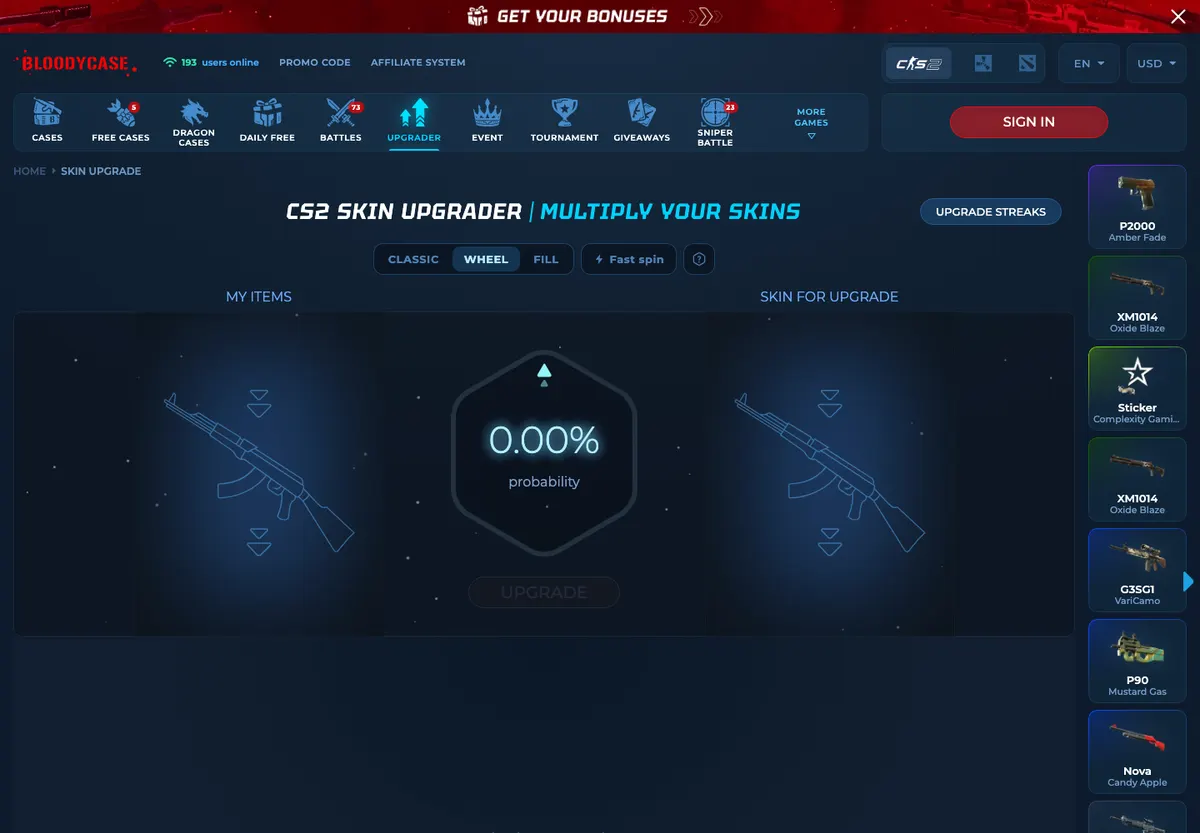
BloodyCase documents an Upgrader where users stake one or more skins, optionally adding balance, for a more expensive target skin. Its stated chance is based on the value ratio. This is a game of chance, not a direct purchase or Valve trade-up contract. It is for adults aged 20+ only, subject to applicable local requirements, and carries a house edge. Check that participation is lawful where you are before considering it.
The screenshot shows the official Upgrader interface, not proof of current Gungnir stock. Begin by looking for the exact target in the live catalogue. If it is absent, do not deposit on the assumption that it will become available. If it is present, check its item details and withdrawal conditions before choosing a stake. A target name alone does not answer every question about the copy you might receive.
As the target’s value rises relative to the stake, the stated chance falls. BloodyCase’s general Upgrader description does not publish a fixed Gungnir percentage, so read the chance shown before the particular attempt. Do not substitute a conventional case rarity percentage, a remembered result or another site’s upgrade formula. The displayed target, stake valuation and current terms are what need your attention.
The operator’s margin means the expected long-run result is a loss. Changing the time of play, following a visual pattern or switching an animation does not create an edge. BloodyCase lists display modes including Classic and Wheel; a different presentation should not be treated as a method for improving the stated chance. An earlier unsuccessful attempt also does not make a later Gungnir attempt owed to you.
On an unsuccessful upgrade, BloodyCase says the staked skin or balance is lost and cashback is credited. Cashback does not undo that loss, and the general description supplies no fixed rate to use here. Assess the attempt on the basis that you can lose the stake. Do not increase it to recover earlier losses or treat an intermediate upgrade as progress that protects you from another unsuccessful result.
BloodyCase states that it uses a provably fair system and that results can be verified using server seeds. Verification concerns whether a result follows the committed process; it does not make the target more likely or remove the house edge. Read the provably fair guide for the distinction between checking a result and assessing whether you want to take the chance at all.
The site says won skins can be withdrawn to Steam, sold for site balance or used in Upgrade and Contract modes, with exchanges handled automatically through Steam bots. A site balance is not the same thing as having Gungnir in your Steam inventory. Review the current withdrawal requirements and any Steam restrictions before participating. BloodyCase’s own Contract mode should also not be confused with the in-game recipe described earlier.
For a broader assessment, read the BloodyCase review, check the fees guide before comparing displayed values, and use the game-modes guide to distinguish upgrades from battles and contracts. If the only acceptable outcome is owning a particular Gungnir copy, a random attempt does not meet that requirement. Set a spending boundary before any play, and use the responsible-gambling guide if that boundary becomes difficult to maintain.
Gungnir checklist before you commit
- For origin: remember that Gungnir is a Norse Collection Covert, not a CS2 container drop.
- For crafting: validate the eligible inputs and complete output set before consuming ingredients.
- For condition: inspect the actual copy and its float rather than a generic render.
- For identity: reject claims of a StatTrak or Souvenir Gungnir.
- For trading: inspect the final Steam offer and read current hold or transfer warnings.
- For BloodyCase: confirm target availability, displayed chance and withdrawal terms; accept that the stake can be lost.
AWP Gungnir FAQ
No matching questions found.
Which case contains AWP | Gungnir?
Is the Gungnir drop chance the published Covert percentage?
Can AWP Gungnir be a trade-up output?
Can Souvenir skins be used to craft Gungnir?
What is Gungnir’s float range?
Does AWP Gungnir come in StatTrak?
Can I upgrade to Gungnir on BloodyCase?
Does provably fair make a Gungnir upgrade more likely?
For adults aged 20+ only where lawful. Availability and displayed chances are not confirmed; do not stake anything you cannot afford to lose.
Links to the official BloodyCase site are independent and earn no commission. →
This independent guide is for informational purposes and is not affiliated with BloodyCase.