





To fund BloodyCase and receive skins in Steam, start by separating deposits from withdrawals. BloodyCase lists cards, e-wallets, cryptocurrency and SkinsBack among its payment options, with a published minimum deposit of $5. Its documented withdrawal route is item delivery to Steam—not a promise of cash withdrawals to those same payment methods. Availability varies by country, and a top-up of at least $5 is required before withdrawing items. This guide is for adults aged 20+ who meet local legal-age requirements; case opening and other chance-based play carry a house edge.
Review the live payment menu and applicable conditions before adding funds.
Links to the official BloodyCase site are independent and earn no commission. →
Start with the payment rules that matter
A deposit adds spending balance. Selling a drop returns value to the site balance. Withdrawing a skin transfers an item to your Steam account. These actions are not interchangeable, even when the interface displays them in the same currency. Decide which outcome you want before choosing a payment method, and check whether the account and item are ready for that outcome.
- Published minimum deposit
- $5 to access paid case opening[↗]
- Item withdrawal condition
- A balance top-up of at least $5 is required[↗]
- Documented withdrawal destination
- The user's Steam account[↗]
- Payment availability
- Methods may vary by country of residence[↗]
The deposit minimum is not a published case price, a withdrawal fee or a complete statement of eligibility. Public payment information does not specify a comprehensive schedule of maximum deposits, item withdrawal limits, fees or processing deadlines. Confirm those details in the live payment flow before authorizing a transaction.
Choose a deposit method you can verify
BloodyCase publishes a broad payment list, but that list does not establish that every option works for every account or supports withdrawals. Use it as an overview of deposit choices. Your live payment screen should determine which methods are actually available and what instructions apply to the transaction.
| Method group | Listed options | Check before proceeding |
|---|---|---|
| Payment cards | Visa, Mastercard | Final charge, billing currency, provider instructions and any issuer-side costs. |
| Wallets and payment services | Zen, Skrill, Neteller, Sofort, PayPal | Local availability, account requirements and the amount credited after confirmation. |
| Prepaid options | Neosurf, Paysafecard | Voucher eligibility, supported currency and the payment provider's conditions. |
| Cryptocurrency | USDT, Bitcoin, Ethereum, Dogecoin, Cardano, Ripple, Litecoin, Polygon, Shiba Inu | Exact asset, receiving network, address, requested amount and any displayed payment deadline. |
| Skin-related payment option | SkinsBack | Eligible items, valuation, receiving account and the balance offered before accepting a trade. |
Cards and wallets: compare the charge with the credit
For a card or wallet payment, distinguish the amount you authorise from the balance the site says it will credit. As general payment guidance, a provider or issuer may apply currency conversion or other charges under its own terms; these are separate from any BloodyCase charge. Read both sides of the confirmation rather than assuming the displayed deposit amount is the final cost. If a payment is declined, inspect the provider's message before retrying. Repeated attempts can make it harder to identify which transaction succeeded. A listed card or wallet logo also does not establish that deposits can later be returned through that method. Ask about any refund or withdrawal question before funding, not after spending the balance.
Crypto: match the asset and network exactly
BloodyCase lists several cryptocurrencies, but the public list is not a complete network-by-network deposit specification. Do not infer that every network supported by your exchange is accepted by the receiving payment flow. As general crypto safety practice, use the asset and network explicitly shown at checkout, copy the full destination address, and check whether any additional identifier is requested. Compare the amount being sent with what the recipient is expected to receive after any sending costs. Keep the transaction hash and the payment reference. A completed blockchain transfer and a credited site balance are different stages: evidence of the former does not by itself prove the latter. If the instructions are ambiguous, stop and ask support rather than testing an uncertain route. Crypto funding is not a documented promise of crypto cash withdrawals.
Skin funding: inspect the item offer, not just its value
SkinsBack appears in BloodyCase's published payment list. That establishes a skin-related payment option, not a complete catalogue of accepted games, items or valuation rules. Check the live flow for eligibility and the balance you would receive. General Steam trading guidance applies: read the outgoing items, the receiving account and the trade direction before confirming. A quoted skin value should be evaluated against the actual item being transferred, including its variant and condition where relevant. Do not assume the quote matches a Steam Community Market listing or a later resale price. If an item is missing from a deposit selection, check its tradability and the provider's acceptance rules instead of repeatedly sending offers. For a broader explanation of item differences, see supported games.
Check the conditions before adding balance
- Confirm access and your spending boundaryCheck whether the service and activity are lawful where you live and whether you meet the applicable age requirements. Choose an affordable entertainment budget before opening the payment flow; payment availability is not legal approval.
- Verify the account you are fundingBloodyCase lists Steam, Google, Discord, Facebook and Twitch sign-in. Make sure you are in the intended account, especially if you use several sign-in services. A non-Steam login does not itself identify the Steam destination for an item.
- Inspect the available method and final quoteRead the currency, charged amount, expected credit and any provider conditions. The published $5 minimum does not replace method-specific instructions shown at payment.
- Understand any extra conditionsIf an offer, verification request or payment restriction appears, read it before accepting. Ask whether it changes how the credited balance or resulting items can be used. Do not assume every balance category has identical conditions.
- Authorize once and retain the referenceSave the payment confirmation and check the account balance. If the result is unclear, investigate the existing transaction before creating another deposit.
- Open the official site directly rather than following payment links in unsolicited messages.
- Use payment credentials and accounts you are authorized to use, subject to the provider's terms.
- If verification is requested, confirm the secure submission route before sending documents.
- Do not fund an account solely to resolve an unexplained payment error or an unofficial request.
Know what withdrawing actually means
BloodyCase says won skins can be withdrawn to Steam, sold for site balance, or used in Upgrade and Contract modes. Those choices have different consequences. Withdrawing aims to move the item out of the site inventory. Selling changes it into internal spending balance. Using it in another mode keeps it involved in the site's activities rather than delivering it to Steam. If your goal is to receive the item, do not mistake a sale or mode selection for a withdrawal request.
| Action | Documented outcome | Important distinction |
|---|---|---|
| Withdraw a won skin | Send the item to the user's Steam account. | This is item delivery, not a bank or wallet payout. |
| Sell a won skin | Receive site balance. | Internal balance is not the same as withdrawable cash. |
| Use an item in Upgrade or Contract | Use the skin in another site mode. | This does not complete delivery to Steam. |
| Request a card, wallet or crypto cash withdrawal | Public payment information does not establish these payout routes. | A deposit method's presence does not prove it supports cash withdrawals. |
The published withdrawal condition is a balance top-up of at least $5. This is not described as a separate charge for each withdrawal, and it should not be read as proof that every other requirement has been met. Check the account's current status before adding money specifically to satisfy this condition.
Keep item value separate from cash value
A currency-denominated skin value is a valuation, not a cash payout promise. In the wider Steam ecosystem, the Steam Community Market uses Steam Wallet funds and displays its own fee lines. Those are separate from BloodyCase balance and any item valuation shown on BloodyCase. Likewise, an outside marketplace's offer would be governed by that service's pricing and rules. BloodyCase's statement that free-case items can be sold with immediate balance credit concerns an internal sale. It does not establish immediate Steam delivery or immediate payment to a bank, wallet or blockchain address. Before selecting Sell, decide whether you actually want more site balance or want to keep the skin for withdrawal. See the fees guide for the pricing distinctions.
Confirm the game and exact item
BloodyCase offers cases for CS2, Rust and Dota 2. That does not mean every game's items share the same attributes or trade eligibility. As general item guidance, check the game, item name and displayed restrictions before requesting delivery. For CS2 skins, wear, float and variants such as StatTrak can distinguish items that otherwise look similar. Rarity identifies an item category; it does not establish a fixed sale price or override a trade restriction. Compare the item shown in the withdrawal process with the item shown in the Steam offer. If they differ, stop before accepting and ask for clarification rather than treating an approximate visual match as sufficient.
Check your inventory, account eligibility and the current withdrawal instructions.
Links to the official BloodyCase site are independent and earn no commission. →
Withdraw skins to Steam with fewer mistakes
The following workflow combines the documented Steam withdrawal route with general account and trade checks. It is not a promise that every item will be available immediately.
- Check the account conditionConfirm whether the required top-up of at least $5 has been recognized. If an account message identifies another unresolved condition, read it before depositing again or starting more requests.
- Verify the Steam destinationMake sure the intended Steam account is identified correctly. If a trade URL is requested, retrieve it from your own Steam account and check that it has not been replaced by an old or unrelated link.
- Select the item you want to receiveRead the game, name and relevant item attributes. Inspect any availability or trade restriction displayed. Avoid choosing Sell, Upgrade or Contract if your goal is delivery to Steam.
- Submit the request and keep its referenceRecord the request status and any identifier shown. If the interface reports pending, distinguish that from a failed or completed request before trying again.
- Inspect the actual Steam offerBloodyCase says exchanges operate automatically through Steam bots. Check the counterparty, items on both sides and any confirmation Steam requires. A bot-like name alone is not proof that an offer is genuine.
- Confirm receipt in the correct inventoryCheck Steam's trade status and the relevant game inventory. Keep the trade record if the website and Steam show conflicting results, and contact support with both references.
Use the correct trade link and Steam Guard
In general Steam trading, a trade URL helps another party address an offer to your account; it is not your password or an authorization to sign in. Keep it out of public posts and submit it only where the legitimate workflow requires it. If you replace the URL in Steam, services holding the previous link may need the updated version. Steam Guard Mobile Authenticator provides additional protection for trade and market confirmations. Treat unexpected approval prompts as a reason to inspect the underlying action, not as something to accept automatically. These are general Steam security practices, not a published BloodyCase-specific authenticator waiting period. For account access issues, use the login guide.
Read holds and bot offers correctly
Steam describes a trade hold as a period during which items are held before delivery, helping owners of compromised accounts cancel fraudulent trades. The status Steam shows for your transaction matters more than a general claim that automated trading is fast. Automation does not remove account restrictions or make every offer trustworthy. Steam Trade Offers specify items on both sides, so inspect the complete exchange rather than just the incoming skin. A request for an unrelated item or an extra payment should prompt you to stop and verify through official support. Do not assume it is a normal withdrawal requirement because a message uses BloodyCase branding. The trade safety guide explains these checks in more detail.
Understand limits, fees and processing times
There is no useful single processing time that can be applied to every payment and item transfer. A funding provider, the site's balance ledger and Steam delivery represent different stages. BloodyCase's public payment information does not provide method-by-method processing deadlines or a complete fee and limit schedule. The practical approach is to identify the stage, read its status and retain the reference needed to investigate it.
| Question | Published position | Practical next step |
|---|---|---|
| Minimum deposit? | $5 for paid case access. | Check whether the chosen method displays additional conditions. |
| Requirement before item withdrawal? | A balance top-up of at least $5. | Confirm the account recognizes the qualifying top-up. |
| Maximum deposit or withdrawal? | No comprehensive public schedule is specified. | Read the live limits before committing funds or items. |
| Deposit, conversion or withdrawal fees? | No complete public fee schedule is specified. | Compare the final charge, credited balance and any item valuation. |
| Processing deadline? | No general payment or Steam withdrawal deadline is specified. | Follow the relevant transaction status and contact support if unresolved. |
Do not fill these unspecified details with figures from another skin site. In particular, a published minimum does not establish a maximum, and the absence of a stated fee does not mean a transaction is cost-free. If the final screen does not clearly answer what you will pay or receive, ask before authorizing. Likewise, advertised support availability is not a payment completion deadline.
Troubleshoot the stage that failed
Your payment method is missing or declined
Start with the country-availability rule: BloodyCase says payment methods may vary by residence. A method appearing in the public list does not ensure it will appear in your account. If it appears but declines, record the exact provider message and check the payment account's status. Do not assume a missing option is a browser fault or try to bypass a restriction by misrepresenting your location. Ask support whether the method is currently available for your account. If choosing an alternative, review its own costs and conditions rather than assuming it behaves like the original method.
Money left your payment account, but balance is missing
Compare the payment provider's status with the site's transaction history. An authorization, pending payment and completed payment should not be treated as identical. For crypto, retain the transaction hash and verify that the destination and network match the instructions you received. For cards or wallets, keep the payment reference and receipt without exposing sensitive credentials. Contact support with the existing transaction details before funding again. A second deposit does not diagnose the first and may create another transaction to reconcile. Ask which stage remains unresolved rather than relying on a general description such as 'the payment disappeared.'
The withdrawal is unavailable after a top-up
First check whether the top-up is actually credited to the intended BloodyCase account. Then read the withdrawal message and inspect the Steam destination, item status and any account warning. The published $5 condition is not evidence that an additional deposit will fix every blocked request. If the message does not explain the issue, send support the item name, deposit reference and screenshot of the restriction. Ask what requirement remains unmet and where it is stated. Do not respond to private messages demanding a separate payment to 'release' the item without verifying the request through the official support channel.
Steam and the website show different results
Read the actual Steam offer status and compare it with the withdrawal record. A request marked sent on a website is not the same observation as an item visible in the correct Steam inventory. Check whether an offer is pending, needs your action, has been cancelled or shows a hold. Preserve the original record instead of deleting useful evidence. If an unexpected replacement offer appears, verify it independently before accepting; matching names and avatars are insufficient. Give support the withdrawal reference and Steam trade details so the issue can be traced to a particular transfer rather than a general account complaint.
Get useful help without exposing your account
BloodyCase advertises support at support@bloodycase.com, available 24/7. That describes support availability, not a promised response or resolution time. A concise message identifying the failed stage is more useful than several separate messages without transaction references. Prepare the following information, where applicable:
- The account identifier shown by the site and the relevant transaction date.
- The payment method, amount, currency and payment reference.
- For crypto, the transaction hash and network used.
- For withdrawals, the item name, request reference and Steam offer status.
- A cropped screenshot of the error, with unrelated personal information removed.
- A short explanation of the expected result and what actually happened.
Never email your Steam password, authenticator codes, wallet recovery phrase or complete card credentials. If documents are requested, first confirm the legitimate secure submission process. See BloodyCase support for help organizing an account or payment enquiry.
Keep payment decisions separate from play
A successful deposit only confirms funding; it does not make a desired item more likely. Chance-based play is 20+, carries a house edge and can consume the balance you add. BloodyCase states that its openings use provably fair verification, but result verification is different from payment security, favourable odds or withdrawal eligibility. Set your spending boundary before funding, and do not increase it to recover earlier losses or address an unresolved transaction. If your goal is a specific skin rather than random outcomes, consider whether acquiring a known item through an appropriate service better matches that goal. For support in New Zealand, contact the Gambling Helpline on 0800 654 655. Use the provably fair guide for verification concepts and responsible gambling guidance for practical boundaries.
Your pre-payment and withdrawal checklist
- Confirm legal access, eligibility for adults aged 20+ and an affordable spending boundary.
- Check that the selected payment method is available to your account.
- Compare the final charge with the balance you expect to receive.
- For crypto, verify the asset, network, destination and requested amount.
- For Steam delivery, check the top-up condition, destination account and exact item.
- Inspect the complete Steam offer rather than trusting an account name or avatar.
- Keep transaction references and investigate unresolved requests before repeating them.
BloodyCase deposit and withdrawal FAQ
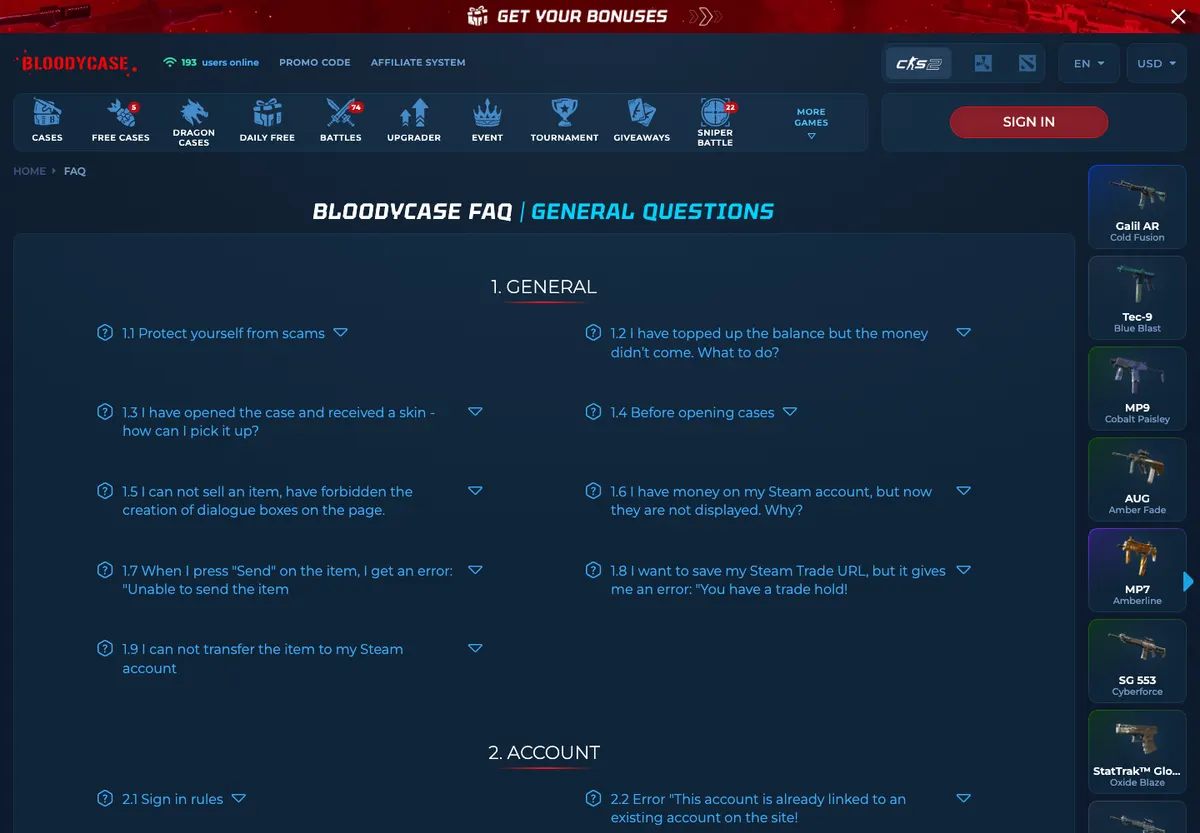
No matching questions found.
What is the minimum deposit on BloodyCase?
Do I need to deposit before withdrawing skins?
Can I withdraw BloodyCase balance to PayPal or a bank card?
Does BloodyCase accept Bitcoin and USDT?
Can I deposit skins on BloodyCase?
How long do BloodyCase deposits and withdrawals take?
Are there deposit or withdrawal fees?
Why has my skin not appeared in Steam?
Confirm your available method and withdrawal conditions before committing funds or items.
Links to the official BloodyCase site are independent and earn no commission. →
This independent guide is for informational purposes and is not affiliated with BloodyCase.