




This independent guide describes the brand's case types, stated costs and features; it does not confirm that New Zealand players are accepted or that the service is available here. BloodyCase lists CS2, Rust and Dota 2 cases, requires no separate keys, and describes options to sell drops for site balance or request withdrawal to Steam. Its stated minimum deposit is US$5, not a universal case price. Below, compare the documented case types and learn what to check about prices and probabilities. Paid case opening involves gambling and a house edge; it is for adults aged 20+ in New Zealand.
Opens https://bloodycase.com/. Review the live case details and eligibility conditions before depositing.
Links to the official BloodyCase site are independent and earn no commission. →
Choose the right case type before comparing prices
BloodyCase separates ordinary cases, promotional cases and competitive modes in its navigation. These are different ways to participate, not interchangeable offers. A paid case has an opening cost; a promotional case can have qualifying conditions; a battle adds rules about who receives the combined drops. Begin by choosing the game whose items you actually want. The site lists CS2, Rust and Dota 2 cases, but that does not mean their contents, prices or eligibility conditions are identical.
| Option | How it is described | What to check before opening |
|---|---|---|
| Ordinary paid cases | Buy and open a case without purchasing a separate key. The published minimum deposit is US$5. | The individual opening price, possible contents and any displayed probabilities. |
| Rust and Dota 2 cases | BloodyCase lists these alongside its CS2 offering. | The game attached to the case and the exact item versions in its contents. |
| New-user promotional cases | The advertised 5 cases require a US$5 deposit to unlock and are available once per user. | Eligibility and the deposit condition; these are not an unconditional no-deposit offer. |
| Dragon Cases | A 10-level system tied to cumulative deposits, with a daily case entitlement and expiry for unopened cases. | Your qualifying level and the applicable conditions, without depositing simply to advance a level. |
| Steam-name daily case | The site describes a daily case unlocked by adding its icon and text to a Steam name. | The current naming requirements and any separate item-withdrawal conditions. |
| Case battles | Participants open the same cases; the player with the highest total drop value takes all drops. | The battle cost and winner rules, rather than treating it as an ordinary individual opening. |
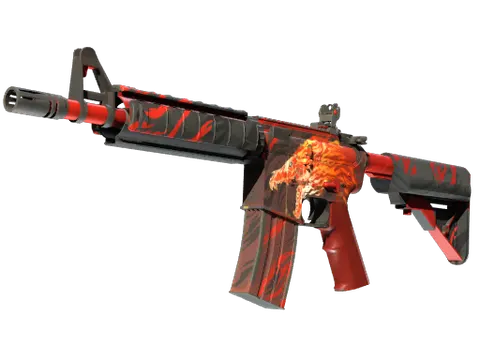
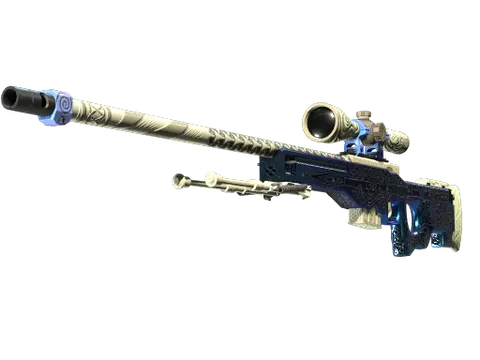
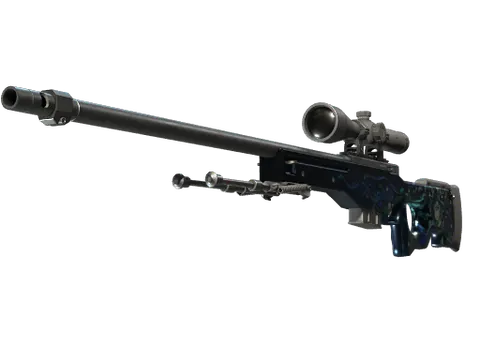
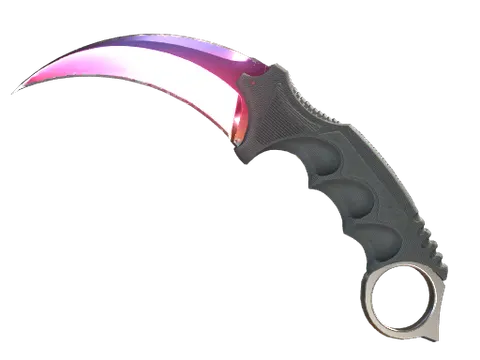
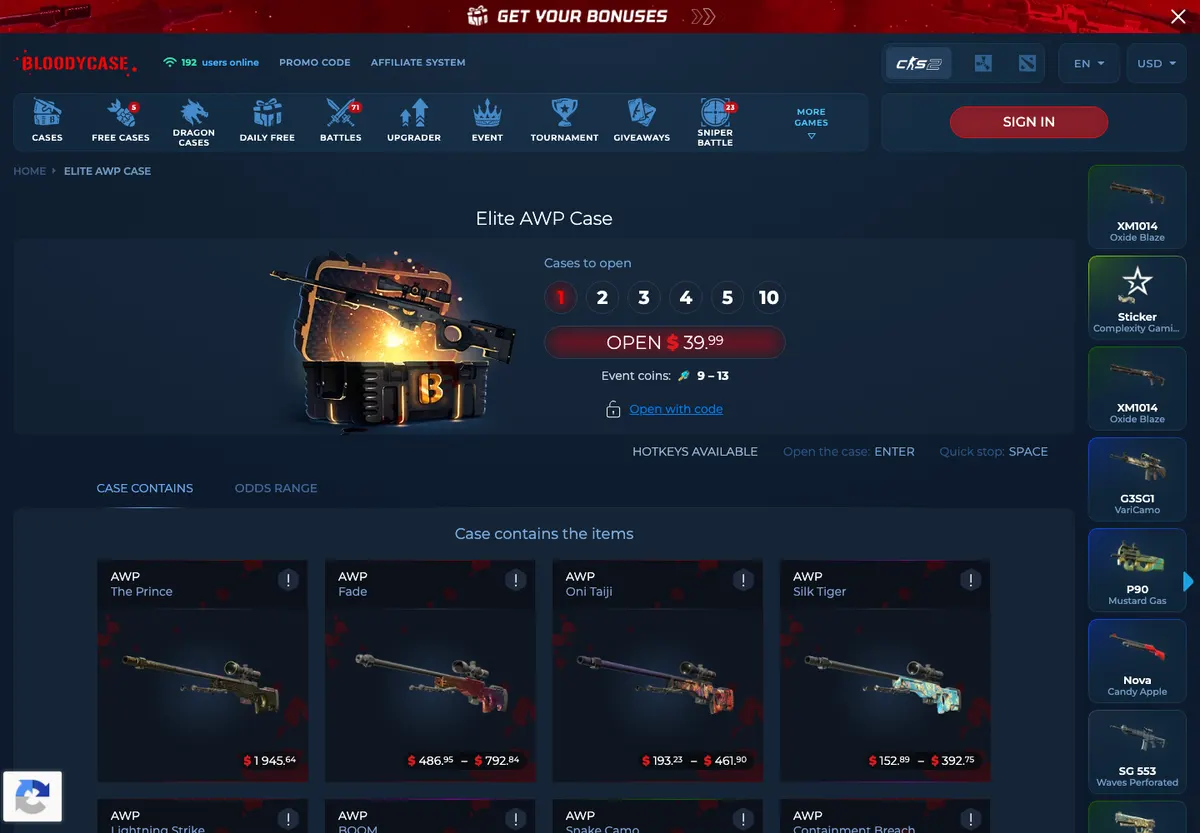
The official cases screenshot is useful for recognising the catalogue, not for locking in a price or assuming a particular case remains available. Read the live case details before committing funds. A theme, weapon picture or prominent high-value item can help identify a case, but none tells you how likely that item is to appear. For the competitive alternatives, see the separate BloodyCase game modes guide.
Separate the drop result from the battle result
In the documented battle format, receiving an attractive item during an opening does not by itself mean you keep that item. The combined drop values determine the winner, who receives all drops. This adds a separate question to your case comparison: not just what can this case produce, but how does this format allocate the results? Do not compare an individual case's contents with a battle's possible combined reward as though they were the same offer. Read the participation cost and allocation rules together before deciding whether the competitive format matches your goal.
Treat promotional cases as conditional offers
The important distinction is between the price assigned to a promotional opening and the conditions needed to access or withdraw from it. BloodyCase's new-user case offer requires a deposit, and its promotional-case guidance also requires a top-up of at least US$5 to withdraw items to Steam. Dragon Cases have their own deposit-linked progression and daily availability. An expiring entitlement is not a reason to spend more or interrupt a planned break. Assess any offer against money already considered affordable to lose, rather than increasing that budget to qualify.
Separate the case price from the deposit minimum
The published US$5 minimum describes a balance top-up requirement, not the cost of every BloodyCase case. The brand's general case information does not provide a complete case-by-case price list or sell-back fee schedule. Use the amount shown for the specific case at the point of opening, and check the total payable before confirming. Do not assume that a deposit covers your chosen case, that a promotional entitlement removes every condition, or that the item you receive will be worth the opening cost.
| Value or cost | What it means | How to use it |
|---|---|---|
| Minimum deposit: US$5 | The published minimum top-up for opening non-promotional paid cases. | Treat it as a funding threshold, not a case-price quotation. |
| Individual case price | The amount charged for the selected opening. | Check the current price and any total shown before authorising the opening. |
| Displayed drop value | The site's valuation attached to a possible or received item. | Do not assume it is a guaranteed external sale price or cash payout. |
| Sell-for-balance amount | The amount offered when converting a drop into BloodyCase balance. | Read the actual offer; do not infer a fee or conversion rate from the item's headline value. |
| Steam withdrawal requirement | BloodyCase states that withdrawing items requires a top-up of at least US$5. | Account for this separately when considering promotional cases. |
| Steam Community Market proceeds | General Steam market sales use Steam Wallet funds and show applicable fees. | Keep Steam Wallet funds, BloodyCase balance and money outside these systems conceptually separate. |
Compare case values on a consistent basis
When comparing cases, keep the game, currency and valuation basis consistent. An opening charge, a site's displayed item value and a market listing answer different questions. An external asking price does not establish what a buyer will actually pay, and Steam Market proceeds remain Steam Wallet funds. Avoid describing a case as good value simply because its largest possible drop is expensive. A meaningful comparison would account for all possible outcomes, their probabilities and the value you could actually use after relevant costs. Without those inputs, you can compare affordability and transparency, but not reliably rank cases by expected return. A higher opening price alone does not establish better odds of receiving the item you want.
Check payment availability without expanding your budget
BloodyCase lists card, e-wallet and cryptocurrency methods, including Visa, Mastercard, PayPal, Bitcoin and USDT. It also says payment availability varies by country. That makes the live payment screen more useful than assuming a listed method will appear for every account. Before funding, check the currency, the payment provider's final charge and any displayed conversion or processing terms. A familiar payment logo does not establish the price of a case or the terms for receiving an item. The deposit and withdrawal guide covers funding separately.
Read the possible drops, not just the case artwork
A useful case comparison starts with the full possible outcome, including less valuable items. BloodyCase's general fairness statement does not provide a universal drop percentage that can be applied across its catalogue. On the individual case page, look for the contents, the precise item variants and any probability information before opening. Do not infer odds from the order of item pictures, how much space an item occupies, or how often an attractive drop appears in promotional material.
- Confirm the game. A similar-looking catalogue card does not make a CS2 item interchangeable with a Rust or Dota 2 item.
- Read the complete item name. The weapon or item model, finish and any special variant matter more than a thumbnail.
- Check condition where applicable. Different wear versions can have different appearances and market values.
- Look for the full range of outcomes. The most valuable advertised item says little about the less valuable results.
- Identify how probabilities are expressed. An exact item probability is not automatically the same as the probability of a broader rarity group.
- Stop if the information is unclear. Missing or ambiguous probabilities are a reason to seek clarification, not to estimate them from the animation.
Understand wear, rarity and special versions
As general CS2 item guidance, wear describes a skin's condition, while float is a numerical property associated with that wear. Rarity is a separate classification; it does not describe an item's condition or guarantee a particular sale value. StatTrak versions, where available, are also distinct from ordinary versions. Pattern differences can matter for some finishes. These are item characteristics, not documented BloodyCase pricing rules. When comparing a possible drop with another listing, match the relevant version rather than comparing only the finish name. Rust and Dota 2 items have their own attributes, so do not apply CS2 wear terminology indiscriminately. The skin terminology glossary explains these distinctions.
Check whether an odd applies to an item or a group
As general probability guidance, a chance assigned to a category is not necessarily the chance of receiving your preferred item within it. If a case groups several skins under a rarity label, establish whether the displayed probability refers to that entire group or each individual result. Do not divide a group probability equally among the pictured items unless the published rules explicitly support that calculation. Likewise, different wear versions may be separate outcomes or part of a broader listing; the actual case information must resolve that distinction. A useful question for support is: does this probability apply to the exact named variant, or to a category containing other results? This is more precise than asking whether a case has good odds.
Keep the animation separate from the probability
In case-opening systems generally, a scrolling presentation is not a probability table. An expensive item passing close to a stopping marker does not mean you were close to receiving it in a way that improves the next attempt. Likewise, a disappointing result does not make a better result due. A cheaper case may limit the amount spent on an individual opening, but it does not establish better value. To compare expected value meaningfully, you would need the complete outcome probabilities and a consistent valuation basis. Do not calculate a likely return from a handful of attractive examples or treat a case's theme as evidence of favourable odds.
Use provably fair checks for the question they answer
BloodyCase states that its provably fair algorithm applies to all openings, including battles, and that results can be verified using server seeds. In general, provably fair verification concerns whether a result can be reproduced from the system's disclosed inputs. It does not make a low-value drop impossible, remove the house edge or establish an item's external selling price. The exact inputs and procedure must come from the official verification instructions; do not substitute a generic seed tutorial for the site's actual method.
- Read the official method firstCheck which inputs the verifier requires and when they become available. Understand the procedure before relying on the fairness label.
- Keep the relevant opening detailsWhere the interface provides a result reference or verification inputs, retain those details so you can identify the exact opening.
- Compare the reproduced and recorded resultFollow the official instructions, and ask support about any mismatch. A successful check answers a technical fairness question, not whether opening the case was good value.
For more detail on seeds, commitments and the limits of verification, use the BloodyCase provably fair guide. Keep probability disclosure, technical verification and item valuation as separate checks.
Opens https://bloodycase.com/. Compare the selected case's cost, contents and available probability information before opening.
Links to the official BloodyCase site are independent and earn no commission. →
Open a BloodyCase case step by step
The sequence below is a practical decision checklist, not a promise about exact button labels or screen layout. BloodyCase documents several sign-in methods and no separate key requirement. Account-specific checks, payment availability and Steam eligibility still need to be resolved in the relevant official interfaces.
- Check eligibility and set your limitRead the current terms and local restrictions before participating. Treat paid openings as gambling: they are for adults aged 20+ in New Zealand and carry a house edge. Choose a spending limit and a stopping point before seeing the catalogue.
- Reach the official site and sign inBloodyCase lists Steam, Google, Discord, Facebook and Twitch sign-in options. Check that you are using the intended account. If Steam authorisation is involved, verify the destination before entering credentials. A familiar avatar or display name alone is not an account-security check.
- Choose the game and opening formatSelect the relevant CS2, Rust or Dota 2 case offering. Distinguish an individual opening from a case battle or a promotional entitlement. If you want to keep the result of your own opening rather than compete for a combined pool, read the format carefully.
- Inspect the case before adding moneyRead the price, possible contents, item variants and any displayed probabilities. Check promotional conditions where relevant. Decide whether the information is sufficient before funding; depositing first can make it harder to step away from an unclear offer.
- Fund only the amount already plannedThe published minimum deposit is US$5, and payment methods vary by country. Review the final payment details and any provider charges. Do not increase your budget because a different case is more prominent or because a deposit-linked promotion becomes available.
- Review the charge and open without a separate keyBloodyCase states that its cases do not need keys. Recheck the selected case and the amount about to be charged, then proceed only if both match your decision. Do not interpret the animation or a previous result as information about what must happen next.
- Record the result and choose what to do with itReview the exact drop and any available verification details. BloodyCase says items can be sold for site balance, withdrawn to Steam, or used in Upgrade and Contract modes. Pause before choosing: keeping an item, selling it and staking it again have different consequences.
Decide what happens to the drop
Receiving a drop does not automatically mean it has reached your Steam inventory or become withdrawable money. BloodyCase describes distinct options for handling items. Choose according to your original goal rather than using a disappointing result as a reason to continue. In particular, selling for site balance keeps the value inside the site's balance system; it is not the same transaction as receiving an item in Steam.
| Choice | Documented function | Decision to make |
|---|---|---|
| Withdraw to Steam | Request the skin for your Steam account; a top-up of at least US$5 is required. | Check the destination account, item details and current Steam eligibility before confirming anything. |
| Sell for site balance | Convert the drop into BloodyCase balance. | Read the offered amount and remember that site balance is not an external cash payout. |
| Use the Upgrader | Stake skins, optionally with balance, for a chance at a more expensive target. | Treat this as a new chance-based decision with value at risk, not a repair for a disappointing case. |
| Use Contract mode | BloodyCase lists Contract as another use for won skins. | Read its current rules separately; do not assume it follows ordinary case-opening mechanics. |
Check Steam details before requesting an item
BloodyCase says exchanges run automatically through Steam bots and states that it is not affiliated with Valve. Steam account protections remain a separate layer. As general Steam guidance, a trade offer specifies the items on both sides, while a trade hold means Steam delays delivery for a period. Steam Guard's mobile authenticator supports trade and market confirmations. These concepts explain why a site-side withdrawal request and a completed Steam delivery are not interchangeable. If asked for a trade link, obtain it from your own Steam account and verify the destination account carefully. A trade link is not a substitute for checking the actual offer.
- Compare the item in the Steam offer with the requested item, including the relevant version and condition.
- Inspect both sides of the offer rather than assuming an incoming notification can only deliver an item.
- Do not trust a bot's name or avatar as proof of identity; compare it with the information in the official withdrawal flow.
- Read any Steam restriction or hold notice directly. Do not accept an unrelated trade because someone claims it will remove a restriction.
For account preparation and suspicious-offer checks, use the Steam trade safety guide. No general description of an automated exchange overrides a restriction shown by Steam on your own account.
Resolve common problems without paying again
Your deposit succeeded, but the case is unavailable
First distinguish a payment issue from a case or entitlement issue. Confirm the account, payment status and balance, then read the message attached to the selected case. The deposit minimum alone does not prove that every case is affordable or that a promotional condition has been met. Do not immediately repeat the payment. Keep the transaction reference and the exact error text, and contact support if the account state remains unclear.
The animation ended, but the result is unclear
Do not use another paid opening to test whether the previous one worked. First check any account records and item information available in the official interface, noting whether a charge and a corresponding result can be identified. A stalled display alone does not establish whether the opening completed. Preserve the case name, approximate time, visible balance change and any error message. If the records remain ambiguous, ask support to identify the original transaction before attempting another opening. This separates a display problem from a payment or result-recording problem without creating another charge to investigate.
The received item seems different from the picture
Compare the full recorded result with the case contents rather than relying on the cover image. Check the game, item name, finish, condition and any special variant that applies. Different versions can share similar artwork. Preserve the opening reference and screenshots of the relevant item details if there is a genuine mismatch. Do not sell or stake the item merely to clear the screen while a question about its identity remains unresolved.
A Steam withdrawal has not completed
Work through the stages separately: the site's request status, the destination Steam account, any incoming offer and any restriction displayed by Steam. Check the published top-up requirement, but do not assume another deposit will solve an unrelated delivery problem. A pending request is not necessarily a Steam trade hold; use the wording shown by each service. No fixed withdrawal time should be inferred from the fact that exchanges are automated.
You need support to identify what happened
BloodyCase advertises support at support@bloodycase.com as available 24/7; availability is not a promised resolution time. Prepare the case name, approximate opening time, relevant transaction or result reference, and a concise description of the problem. Screenshots should show the issue without exposing passwords, authentication codes or payment credentials. Explain whether the problem concerns payment, the opening result or Steam delivery so those separate processes are not confused. The support guide helps organise that information.
Keep a case-opening budget separate from your item goal
If your goal is a particular skin, a random case is different from selecting that known item directly. It may produce something else, including a drop valued below the opening cost. Paid openings and battles involve chance and a house edge; they are for adults aged 20+ in New Zealand. Decide in advance what you can afford to lose, and count balance from selling drops as value still being spent if you reuse it. Do not increase stakes to recover earlier spending or reach a promotional level. If stopping becomes difficult, step away and contact the Gambling Helpline on 0800 654 655, or use the responsible gambling guide for support-oriented next steps.
Before you open: a final checklist
- I have checked eligibility and chosen the correct game, case and opening format.
- I understand that the US$5 minimum deposit is not the price of every case.
- I have reviewed the possible items, their relevant variants and the available probability information.
- I understand any promotional conditions and am not depositing simply to unlock another entitlement.
- I know whether I intend to keep, sell for balance or request a Steam withdrawal after the result.
- I have a spending limit and will not treat a low-value result, animation or previous loss as a reason to continue.
BloodyCase cases FAQ
No matching questions found.
How much do BloodyCase cases cost?
Do BloodyCase cases need keys?
Where can I check BloodyCase drop odds?
Are BloodyCase case openings provably fair?
Can I unlock the new-user cases without depositing?
Can I choose the exact skin I receive?
Can I turn a case drop into cash on BloodyCase?
How are BloodyCase battles different from ordinary cases?
Opens https://bloodycase.com/. Check the live price, possible drops and applicable conditions before deciding whether to open.
Links to the official BloodyCase site are independent and earn no commission. →
This independent guide is for informational purposes and is not affiliated with BloodyCase.